 Sticking to my Safari theme, here is this weeks QuickTip! If you have a QuickTip you would like to submit you can email it to QuickTip@appleiphoneschool.com.
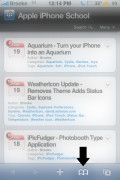
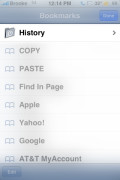
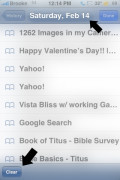
QuickTip – When using Safari, it keeps track of your browsing History (similar to a Mac or PC). This is a nice feature for those times when you would like to go back to a website you were at a few days ago but cannot remember the site’s url. To see your Safari history, while in Safari, select the icon on the lower menu bar that looks like a book. You will then see an option titled History. When selected, it will display your browsing history for the current day as well as the last five days. To view one of the website’s in you history, just tap on it.
While in your history, you will also notice that there is a Clear option on the lower menu bar. You can choose to clear all your history or you can tap on a certain date and then clear the history just for that day. This is a quick and easy way to erase your Safari history. See screenshots below.


 Loading...


 Loading ...
Or you can go and it will clear the ALL the history, not just todays but all the previous days.
Or you can go =Settings, Safari, Clear History= and it will clear the ALL the history, not just todays but all the previous days.
Missed the main instructions on my previous post.
I’m having a weird problem with my iPhone – it seems to delete the internet history on its own. It was fine when I was using it overseas but now I’m back in the UK, connecting the phone to my computer and the wi-fi network – it just automatically deletes all history from Safari after a day or two.
Has anyone else had this problem?
Thanks!
Well if i delete my safari history and then close safari (the hard way= kill the process or hold the home button for long enough or even respring) the history comes back :P Well i hope this is fixed in 3.0 :P
This article presents clear idea designed for the new people of
blogging, that truly how to do running a blog.