 |
Available In: App Store |  |
Price: Free |
 Yesterday, Amazon released an application titled Kindle for iPhone. For those of you who are not familiar with Kindle it is a “software and hardware platform for reading electronic books (e-books), developed by Amazon.com.” Kindle for iPhone brings that software to your iPhone allowing the user to read Kindle books via their iPhone or iPod Touch. The application itself is free however, it does cost to purchase books from Amazon.com (though, there are a few free books and you can usually get a free “sample” of a book).
The application also introduces Whispersync which allows the user to “to seamlessly switch back and forth between your Kindle device and Kindle for iPhone while keeping your bookmarks and reading location synchronized between devices. Now you can easily pick up reading right where you left off on your Kindle or iPhone.”
Below is the App Store description of the app, my walk-through of the app and some screenshots
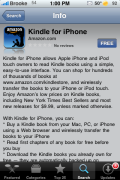
“Kindle for iPhone allows Apple iPhone and iPod touch owners to read Kindle books using a simple, easy-to-use interface. You can shop for hundreds of thousands of books at www.amazon.com/kindlestore, and wirelessly transfer the books to your iPhone or iPod touch. Enjoy Amazon’s low prices on Kindle books, including New York Times Best Sellers and most new releases for $9.99, unless marked otherwise.
With Kindle for iPhone, you can:
* Buy a Kindle book from your Mac, PC, or iPhone using a Web browser and wirelessly transfer the books to your iPhone
* Read first chapters of any book for free before you buy
* Download the Kindle books you already own for free — they are automatically backed up on Amazon.com
* Adjust the text size, add bookmarks, and view the annotations you created on your Kindle deviceKindle for iPhone also includes Whispersync, which allows you to seamlessly switch back and forth between your Kindle device and Kindle for iPhone while keeping your bookmarks and reading location synchronized between devices. Now you can easily pick up reading right where you left off on your Kindle or iPhone.
Books you purchase can also be read on Kindle and Kindle 2, Amazon’s portable readers that wirelessly download books, newspapers, magazines, and blogs to a crisp, high-resolution 6-inch electronic-paper display that looks and reads like real paper. “
Walk-Through
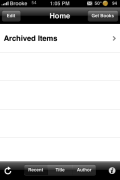
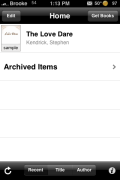
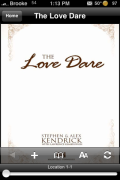
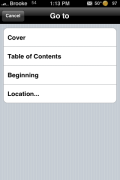
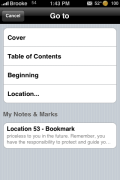
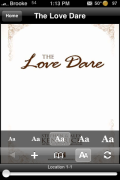
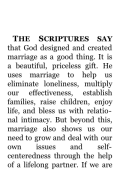
When you first open the application, you will get the main page where you can view your books by Recent, Title or Author. You can also delete books and add more books. Once you have selected a book, you have a few options on a lower menu bar (tap the screen to view the lower menu bar). You can bookmark the page, jump to a certain section of the book (including the pages you have bookmarked), change the font size and sync your book. Other than that, all you need to do is drag your finger on the screen to go to the next page.
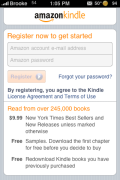
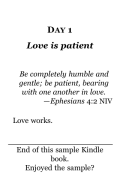
I tested the application using a free sample of a book. I went to Amazon.com, on my PC, and found a Kindle book I was interested in and selected to see a sample of the book. I was able to easily choose to have the book sent to my iPhone and it showed up on my iPhone in a matter of seconds. I was actually impressed with how extremely easy it was to send the book to my iPhone…I did not have to try to figure out how to get it to my iPhone, it was all right there and the whole process took less than ten seconds. You can also browse the Kindle book selection in Safari on your iPhone or iPod Touch.
The application itself it smooth and easy to use…it doesn’t have a ton of features but, it’s simple and does what it says it is going to.
I’m an avid reader…seriously addicted to reading…but, I have yet to get used to reading a book on an electronic device. I would much rather curl up with the real thing. However, if reading books electronically is your thing then you will most definitely want to check out this app.


 Loading...


 Loading ...
So far, so good. Egggggcellent app! /Smithers
where can you download the books from? Sorry, I’m too lazy too check today, lol.
The books are downloaded from Amazon.com. They have to be books that are ale to be played on a Kindle. There is a section for it on Amazon.
I’ve downloaded a few books for this on CHESS and there is a problem in that they changed the images of the chess board to iscii and it looks just Terrible.
hi folks
by the way there’s a website for free books, you probably heard about it called project Gutenberg http://www.gutenberg.org/wiki/Main_Page, but there’s a nifty app associated with that project called Guten Mark http://sandroid.org/GutenMark/index.html
What the tool does is that it formats any ebook written in non-formatted manner, as in a full book just cut and paste into a single text file and it literally puts it into chapters and section, it is just awesome just take a look at the tutorial and it works with any text program from office 97 to office 07. I already tried before when, if anybody remembers that ebook reader that came out when the iPhone was introduced back in 2007, I think it was called ebook reader something like that, and I used this program to format Charles Darwin’s book, voyage of the Beagle into chapters and WoW I still remember it to this day. Just awesome.
Regards to you all