 |
Available In: Cydia |  |
Price: Free |

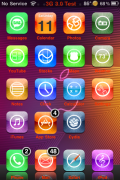
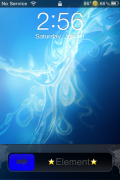
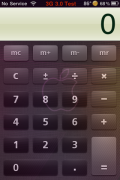
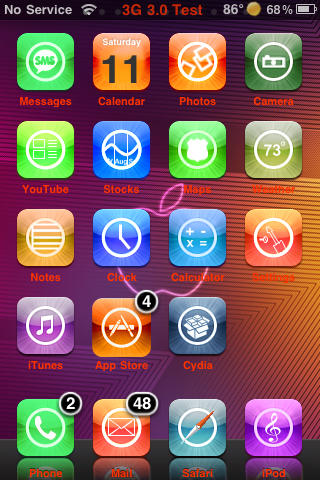 Apple Element is a very colorful WinterBoard Theme…it reminds me of summer! The theme contains a wallpaper, lock screen background, 409 icons, Calculator mod, badges, sliders and a few other random mods. The theme is packaged for the 3.0 firmware meaning, if you are on 2.x or below the stock Text application icon will not be themed. You can get Apple Element via the BigBoss source.
How to Install
1. Your device must be jailbroken. (how?)
2. Make sure you have WinterBoard installed via Cydia.
2. Make sure you have the BigBoss source installed in Cydia.
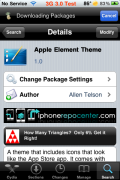
3. Search Apple Element in Cydia, run the install.
4. Open WinterBoard and activate the Apple Element Theme.

 Loading...


 Loading ...
this theme is sick
I agree! :)
What is with all the ripped themes lately? This is WILLDTA’s icons with a background from something that I’ve definitely seen before. Go to youtube.com/WILLDTA to see the real creator of this theme.
You need to contact BigBoss or developer of the theme via Cydia if you have concerns about this theme. I cannot keep track of them all….there are way too many.
Certainly colourful, perhaps a little hard on the eye’s, but nice overall theme.
Hey Brooke still trying to figure out what mod you’re using for the weather in the stats bar. Any help?
It is part of the WeatherIcon mod. Once you install WeatherIcon in Cydia, you can go into the stock Setting app and then the Weather Icon option and turn on the statusbar options (temp and image).
You will also need to install the Katra Weather Icon theme via the david.ashman.com source….that way you get the weather image. If you don’t install a theme, you will only get the temp and not the image (remember to turn on the image theme in WinterBoard).
Thank you so much!
i know this is alittle off the topic but have keyboard themes been fixed to work on 3.0 firmware?
cheers