 |
Available In: Cydia |  |
Price: Free |
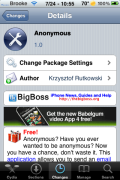
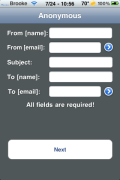
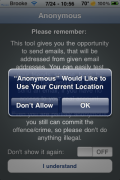
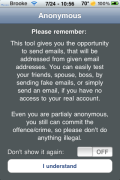
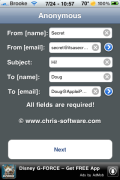
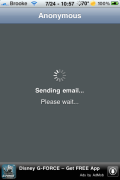
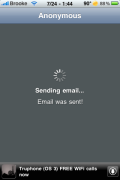
 Anonymous is an application that allows you to send anonymous emails. Once you install the application, and accept the agreement, you can enter the From Name, From email address, Subject, To Name and To Email address. Once all fields have been filled, select Next. This will bring you to a screen where you can enter the body of your message. After you have entered your text, select Send and your email will be sent.
This package does have a warning that says; “Please note: some email sent by this program can be very often identified as spam or even deleted instantly by your provided for security reasons.” When I tested this application I couldn’t get it to work but, it could be due to the fact that gmail is automatically deleting it. It doesn’t even show up in the Spam folder. Everyone I know has gmail so, I wasn’t able to test it on any other providers. You will have to let me know in the comments if you got it to work. You can get Anonymous via the BigBoss source.



 Loading...


 Loading ...
Don’t work sends email but as a blank body nothing shows just NULL?
Sent to yahoo email & googlemail both don’t work?
worked for mine
Didn’t work for me with Yahoo, gmail and my office email.
Garbage!
It worked perfectly for me sending to other gmail accounts and my works exchange server. Great app!
Anybody know which server was using?
Oh crazy it works fine yeah very crazy app
crazzy