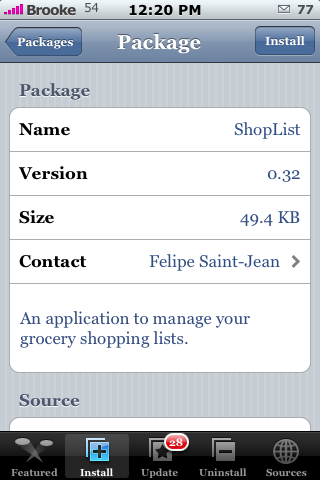
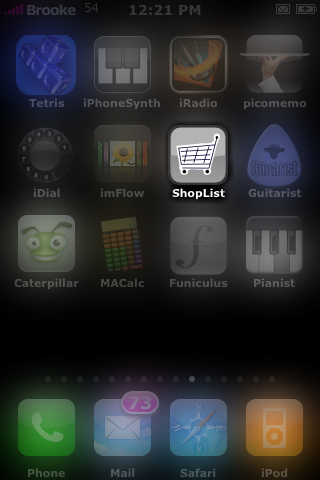
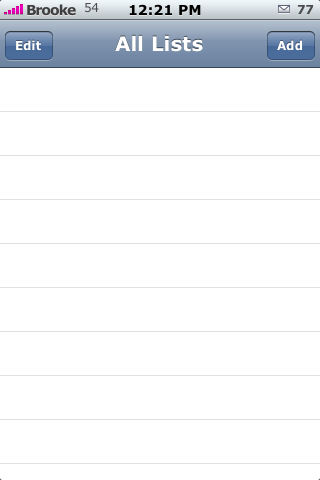
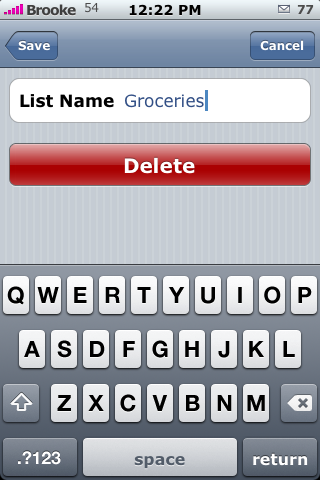
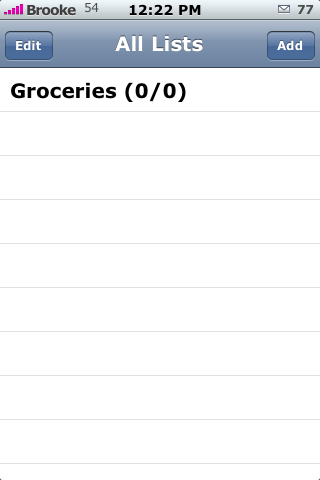
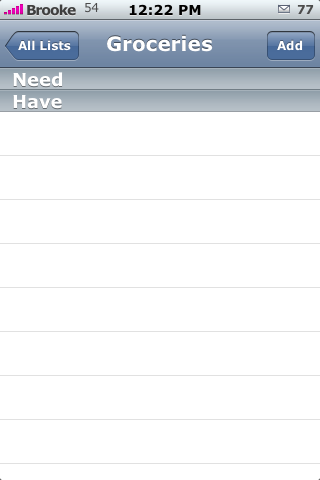
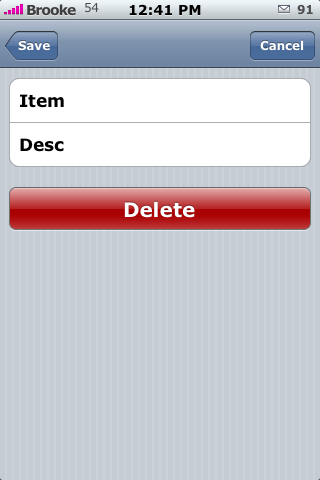
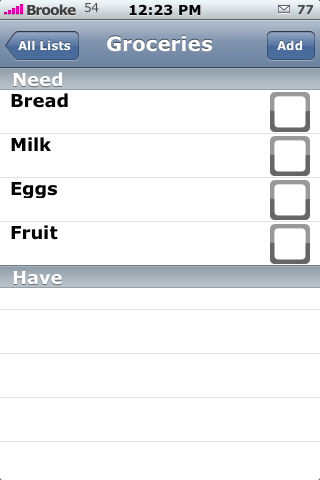
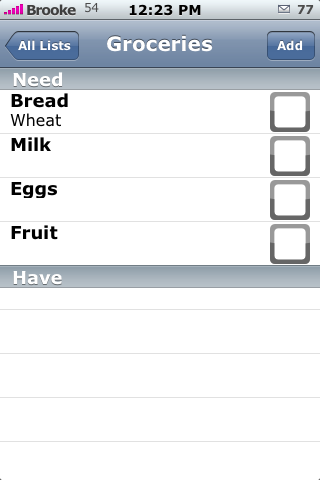
 ShopList is a simple little app that allows you to create shopping lists. It opens to a blank main screen…to add a list just tap Add in the upper right corner. Once you have entered the List Name just tap Save in the upper left corner. Now, you will see your list on the main screen. To add items to your list, tap on it and then tap add in the upper right corner. The Item is the item you need, such as bread, the Desc adds a little subnote below the item, such as wheat. (see screenshots). Once you have your Item entered tap Save. You will now see it on the list of items needed for that Category.
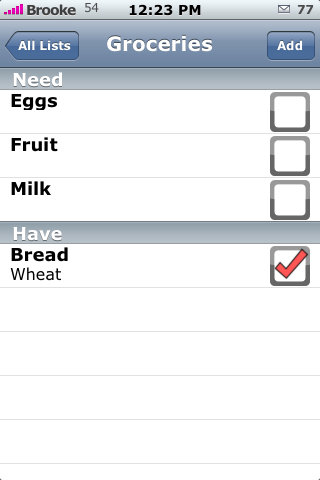
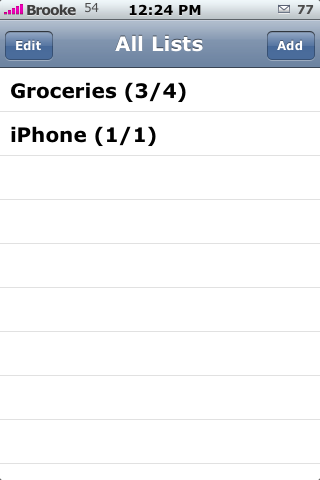
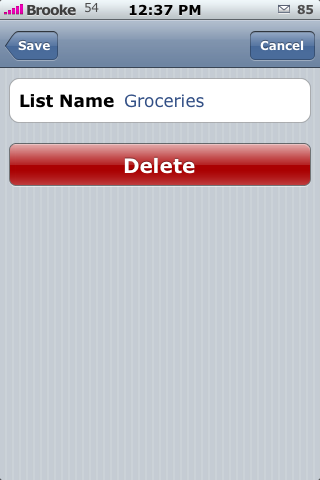
If your Category is Groceries and you have all your items entered into your grocery list…once you get to the store you can mark them off by tapping the box to the right of that item. It them moves that item from the Need section to the Have section. You can have more than one main list like; Groceries, iPhone and Car. I will totally use this app for Grocery Shopping…it does exactly what I need it to do, add items and check them off…simple as that! To delete an entire list and not just entries…tap Edit and then select the list. ShopList is available through the Trivialware source. Check out the screenshots below.

 Loading...


 Loading ...
Great App, now I won’t have to keep calling wifey to ask her what we need again when I’m food shopping, lol.
HAHA nice! Yeah, Doug is always like…why are you using paper and pencil to make your shopping list when you have an iPhone. I was always like…because I haven’t found an app that does what I want it to yet. But, not anymore!! YAY!
I tried similar apps like ToDo and ToDoList…but, for simple lists, I really like this one.
I agree with Doug, lol. It’s very convenient. Question for ya, I tried to install this, it’s telling me I need to install Jiggy Runtime, when I try to install Jiggy Runtime, I get this error message “You must install the jiggy runtime package first. You can find it in Installer under the Development category”, any advice?
There is Jiggy and there is Jiggy Runtime…you should only need Jiggy Runtime. But, it is available through the Ste source and the actual Jiggy source. I believe the Jiggy Runtime in Ste’s source is not updated to work with 1.1.3 and above yet. So, try installing the one from the actual Jiggy source. Let me know if that doesn’t work.
Da187suspect: Go back to the shopping list app, click install, and then click “Remove from Queue”, and then back to jiggy and install it. It installs apps from the queue in the order you told it to, and this app is jamming up the pipes.
Yeah, this could be the problem too! I would try ServerSage’s suggestion first…it is more likely the issue!
Worked Perfectly, Thanks ServerSage & Brooke. By the way, I agree with DJ, this is taking wayyyyy too long. There was an app I checked out but via wifi. It was much simpler as all the items of food were listed and all you had to do was checkmark the tems you wanted, then you can email that list to yourself. This app is no good as you have to type in each item you want. There should be a list of items available that you can just check off.
I think this is a great app but if you have a huge list it would take you longer to enter everything than it would be to just go up and down the aisles at the supermarket. Would be good if it had pre-installed common items, would make it faster to enter your items. Still a great app i will use.
Hahaha…you must be a boy! :) Us girls like to plan out our meals…at least I do anyway!
Anderson actually said something positive about an app?!! Woo hoo!! LOL
anyways I agree , this is an app that comes in handy when doing alittle grocery shopping, I will definately be using because I always find myself forgetting to buy something, I then either go back to buy it or suffer and wish I had bought it, it sucks espcially when its something very delicious you forgot to buy LOL :-p
A $300+ shopping list :). Shopping in style. haha
:)
Brooke,
How did you get the percentage of the wifi and battery on your phone? I hope it’s not through Caterpillar.
I use an app called Advanced Preferences…but, make sure you read the post and the comments before you install it. It works fine for me but, a lot of people say they have trouble with it.
I’m really happy with ToDoList2. Does anybody feel this is better if all you need is to check things off? What I also like about ToDoList2 is that I don’t need to install anything extra ( other than BSD ). I’m not a crazy-load-everything-onto-my-phone guy, since I want to keep it nice and stable. In any case … I just rambled. Any comparison between this and ToDoList2 ( using just categories and sub categories to check things off ) ??
ShopList and ToDoList2 are two very different apps. This is just a very simple task list…ToDoList2 as many more options and settings. ShopList is good for just a quick list you need to make…ToDoList2 is better for a comprehensive to-do list. You definitely do not want to replace ToDoList2 with ShopList if you use all the features of ToDoList2.
Great app, but it will be better if we could write price of the aliment chosen to have total price
Oh yeah that is true…like a running total!
great app!
Am I the only one who cannot get this app to show up in installer? I have tried lower case, upper XML, tried www before the address and even typed in the source without using the http:// What gives? This app and the Advanced Properties app I just cannot get anyone have any ideas? I have a 16Gb iphone came with 1.1.3 updated to 1.1.4 and Jailbreak with Ziphone 2.6b and using Installer 3.01
Anyone out there that can help please run some ideas by me.
Having the same problem Wayne – typical, it’s always the one you really want that you can’t get!
I had the same problem but it was solved with the http:// before the mazinger.cs.yale.edu/iphone-apps/index.xml, all in lower case…
Nice program…
if we can write the price near each item, then we can know how much mony we are going to spand ( you can show as the total….) on each sector …. ?
if it is… then sorry about my english , but i think you understand my point of view, thanks…!
please ans to my privet mail…
Hi there,
I’ve had Shoplist 0.34 running smoothly for quite a few months, but out of a sudden I just get a splash screen when I open it and the application springs back to the springboard
I am on a jailbraked iPhone version 1.1.3 and haven’t done any installation before it appeared not to work anymore – I just used boss prefs to hide and make visible some applications before the problem started
does anybody know what might be the problem and how to solve it?
or if I uninstall the application, can I just install it again and have my lists and data available to use or does all the data get lost with the uninstallation?
cheers for anybody who can help me.
I had this app when I had a jailbroken 1.1.4, but I’ve since upgraded to 2.0 and I miss this terribly. Is there an alternative on the AppStore? I really liked the way it saved the items so you could just go back and uncheck them to re-add them to your list.
Hello, Same for me…
Does anybody can make this application available with firm 2.0.
I’ve look in the appstore but nothing seems to be so simple and complete as this app…
Please Help us !!!!
And Again, I used this app on previous 1.1.4 and now I’ve upgraded to 2.1. The Shoplist application is a great tool for me. Please help us !!!
Great application… but don’t work with Firmware 2.1….. :(
Hi
I have just installed ShopList on my iPhone 3GS. I thought this was a program to list all the items in my pantry, fridge, etc and then when I want to shop to create a list by just checking the items that I need. Can I do this, as this doesn’t seem to work. Please help