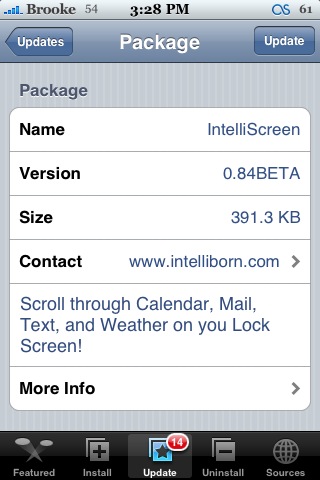
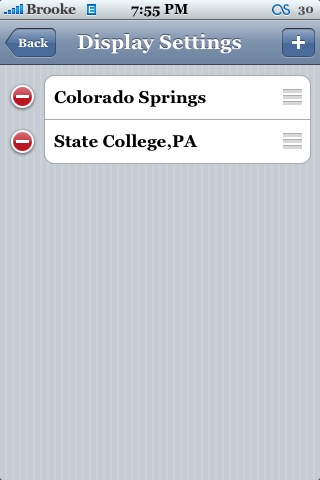
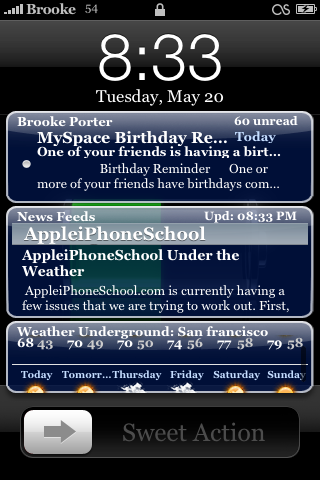
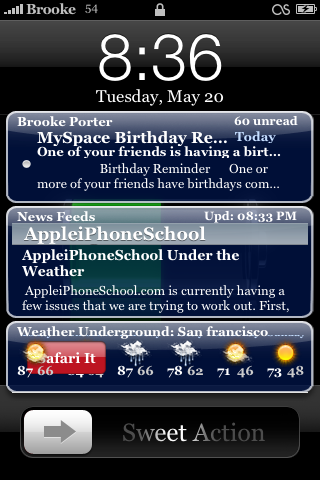
 There have been a few updates to IntelliScreen since yesterday! They have added a few cool new features including the ability to add more than one weather location!! This is my favorite new feature. I have more than one weather location entered into my Stock Weather application so, it is nice to be able to do so in this application as well! If you add more than one weather location you are then able to scroll through them while on the lock screen. It will change the title of the weather so that you know which location you are viewing as you scroll through them. You can also swipe on one of the weather locations (on your lock screen) to view the full weather details in Safari. It will automatically launch Weather Underground for that location.
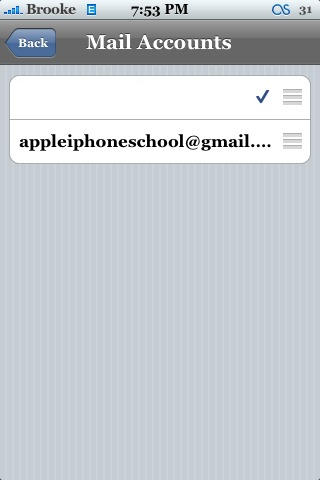
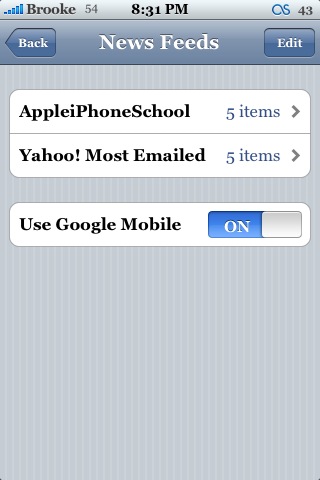
Another new feature is the ability to arrange the order of your Mail Accounts. I’m not sure why you would need to arrange your mail accounts unless you have a ton of them and it is convenient to have a certain one at the top of the list. The new feature that Doug really likes is the ability to have the News launch in Google’s Mobile convertor (Doug is a big Google fan :) ) So, if you have Google Mobile turned on and you swipe the News on the lock screen, it will automatically launch Safari to Google Mobile mode.
There were also a few bugs fixes (see screenshot below). As you know, I am already a big fan of this application and it just continues to improve. IntelliScreen is available through the Intelliborn source.
Update: AppleiPhoneSchool’s News Feed url – feeds.feedburner.com/appleiphoneschool

 Loading...


 Loading ...
Does it work with SkrewCommon installed?
Yes, since version 0.81 it has not been compatible with SkrewCommon. Definitely something that needs to be fixed!
I can get vWallpaper to work together with IntelliScreen. Uninstall SkrewCommon, then update IntelliScreen, then reinstall SkrewCommon. am on 1.1.3, jb using ziphone. everything works perfect.
When I try to set AppleiPhoneSchool as a news feed is says loading but it when it finishes nothing shows up.
Did you enter this url – http://feeds.feedburner.com/appleiphoneschool
The main feature I wish they would add is the ability to resize each of the elements. The only thing I really want on my lockscreen is the calendar events. I really prefer the way iToday does them, but IntelliScreen is the only one that you can customize. I just wish you could make the box larger to show more than two events at a glance.
I’m really glad people were able to figure this out. I was SO not wanting to break down and purchase Kate.
Awesome app…..keeps on getting better and better with each new update. The multiple cities weather option is equally great since I travel quite frequently. Overall, this is one of the best apps to date for the iPhone.
just installed
and i love it!
but one minor thing
sometimes when i try and swipe across the txt part to launch SMS
it just goes to the home screen
and it gets stuck i guess you can say
between the SMS and the home screen
anyone else gettin this?
I wish the makers of Intelliscreen would make a feature that would tell you if you have new email or texts WITHOUT shown a preview of the email or texts. I would like to know if I have new email or texts, I don’t want people to be able to read them if they just wake up my iPhone.
Need Help,
IntelliScreen is not updating for me, i uninstalled SkrewCommon, but it still doesn’t work, it keeps saying an update is available when i open the program, but nothing new shows up in Installer after refreshing. (i have the intelliborn repo too)
any ideas? thanks
Hi there: i have the same problem: when I try to set AppleiPhoneSchool as a news feed is or any different, says loading but it when it finishes nothing shows up!!
is it me … Or does this (great!) app totally drain my battery ?!
Is there any way to define the time how long the lockscreen is on?
I hate it turns of after 5 sec.
how can i can i add appleiphoneschool as a news feed?
Just add the url – http://feeds.feedburner.com/appleiphoneschool to the News feeds section.
What about a website like http://www.elmundo.es (is a Spanish digitalnewspapper)
Thank you so much
Hi there, and what about a digital newspappaper website???
Thank you so much
love this app!
just one thing
in the SMS window it shows a txt msg still that i had deleted
its not in the actual SMS
but still shows it in the preview box
how can i get rid of it? not really a big deal but its one of those things that just nags at you :]
anyone else havin this?
I still have the some problema: swiping on one of the rss fields (on lock screen) safari does not launch…this happens to you folks?
would be good if we can see the temperature in Celsius instead of Farenheith….
is it me … Or does this (great!) app totally drain my battery ?!
Hi there!
I have a problem. Since i installed Intelliscreen, my Weather icon is fixed as the original, no matter i have installed summerboard and all the icons are customized. I’d tried several times to change it but it doesn´t change.
Any advise?
Heres i guide i made up myself to help you guys out on this problem.
1. SSH your iphone and go to /Application/Weather.app/
2. copy Info.plist to your desktop
3. go to this link Binary to XML converter
4. Click browes on their website and locate your info.plist
5. Click convert and save your file
6. Open the converted info.plist in notepad
7. locate and delete SBIconClass SBWeatherApplicationIcon
8. paste back the info.plist in your /Application/Weather.app/ folder
Optional:
9. you can delete the other icon that is in /system/library/coreservices/springboard.app/, the file name is SBWeatherCelsius.png
Great!!! Tks a lot
this app is one of the best so far, but it drained the battery so fast that i had finally to disable it. From full capacity in the morning after loading over night the battery was fully drained till 8 pm. Hope they fix that issue, maybe the internet-based features are causing this, i had only one rss-feed enabled… So i’ll wait for a better version…
I just though about a great feature that can be added to this to make it even better. Maybe add and IM app here as well, such as mobile chat, so when you receive an IM when the phone is locked you can easily see it without going to the app itself. Just a suggestion; anyone agree that would be pretty nice?
Yea, I think this is draining my battery a bit as well.
WEll besides that it de-acktivated my screen so I could not Unlock cuz I culd not slide, I could not power off cuz I could not slide… it looks cool … though… but cant use my phone
everytime i try to d/l this app it says package download failed and i cant get it to work, any ideas?
ok reply to my recent post, i tried d/l some other apps also and for all of them it says package download failed. what am i to do?
It’s a good app, but still I prefer iToday.
Mainly because iToday has better compatibility with other things running on iPhone… i don’t see it draining my battery and it’s a good thing you can swipe off iToday..
It would be a good thing if they make IntelliScreen to stay in the background of the lockscreen since it is actually an active screen and many times when Calendar Alerts or Alarms pop up, the intelliscreen windows get in front of it, making it really difficult to read the things or snooze the alarm clocks (I use that a lot…)..
See ya.