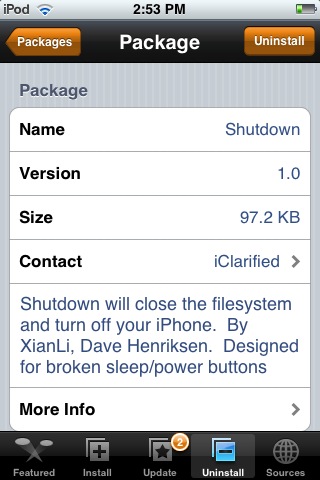
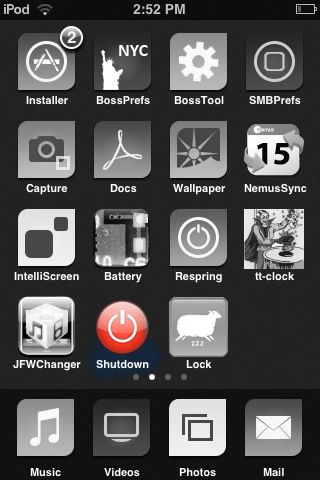
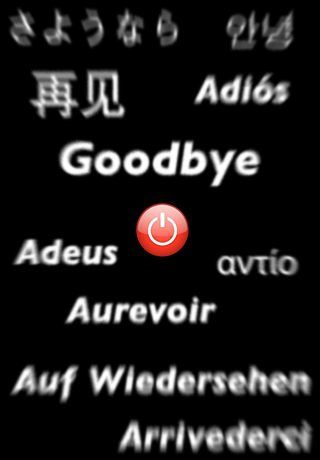
 Shutdown was made by XianLi and Dave Henriksen. It was designed in order to allow people with broken sleep/power buttons to shut off their iPhone and iPod Touch. Once you tap on the application, a loading screen will appear and in under a second your device will be off. The loading screen graphic is very stylish. :) Shutdown is permanently staying on my iPod Touch, because using Shutdown to turn off your iPod Touch is a lot faster then doing it manually. You can get Shutdown from the iClarified source. Check out the screen shot below!!
Shutdown 1.0
June 17, 2008 by
 (No Ratings Yet)
 Loading...


 Loading ...
Even these simple little apps go a long way!
I don’t understand, once you turn it off, how would you turn it back on if your button is broken lol?
Umm… If your on/off button doesn’t work, and you turn off your device, how do you get it back on? Restore?
HAHA….you guys are funny! I totally didn’t even think about that!! You couldn’t even restore without a power button.
So, if your power button does not work I would highly recommend not using this application!! :)
Never though of that haha. I guess the solution would be make sure it doesn’t turn off :)
You plug it into your USB cable and it powers right up.
guess i am not the only one wondering how to switch on the device.. then again 1 good way is probably plug the device via usb… works for the touch but not sure about the iphone..
As a last resort, plugging in the iPhone while it is turned off turns it on. That would be a pain though.
Yeah that is true…as long as you are near a computer!
You know I thought th iClarified source was a dangerous source. Well I’ll admit someone of there apps are pretty good but iClarified is a bad source. Didn’t the BigBoss said something about this source?
Although it seems like a nice app, I’ll be sticking with iReboot, it has 3 options including shutdown.
how do you even download it?
sorry, dummy right here
how do you download this app?
please help!
There Is no place to download from. This is bait to get you to subscribe to iClarified, isn’t it?