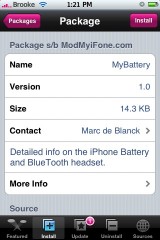
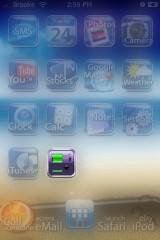
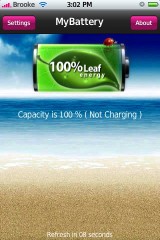
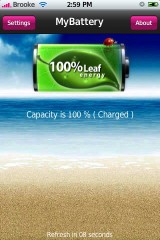
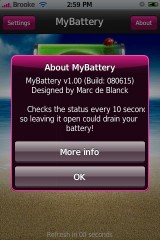
 MyBattery is a simple application that displays information about your battery. When you open the app, you will see a your current battery and below it will be your battery percentage and whether or not your battery is charging. The application will update every 10 seconds. Which means, to avoid battery drain, do not leave the application open for long periods of time. The About option will give you a little more information about the application and a link to the developer’s website. The Settings option does not work at this time. MyBattery is available through the ModMyiFone source.
MyBattery 1.0
June 24, 2008 by
 (No Ratings Yet)
 Loading...
Comments
Trackbacks
-
[…] Vía, appleiphoneschool […]
-
[…] iPhone MyBattery – "a simple application that displays information about your battery." MyBattery 1.0 | Apple iPhone School […]
-
[…] Repositorio para el Installer: modmyifone.com/installer.xml (como a


 Loading ...
Wow, Apps are getting redundant. Hopefully we’ll see some fresh ideas once the App Store is made available.
lol seriously
yeh its like…point??
u can see the battery life by looking at the top right.. u can find out percentage by clicking it
and if its charging…. well… its got a fricken cable stuck to the bottom.. so u know..
“u can find out percentage by clicking it”
What version are you running? “1.1.alien”?
I’m running 1.1.4 and I sure as h-ll can’t see the battery status in percentage by tapping the battery icon in the top right corner…
Advanced Preferences..
Google it and you’ll find out how to check percentage by tapping the battery icon ;)
Or you could go here – http://www.appleiphoneschool.com/category/advanced-preferences/
COOL I didn’t know you could change back and forth by tapping
the great thing about choice! Download or not up to you. However only 2 apps that do this since apple never made it possible to see battery percentage.
Yea… Not really any point of this.. I would just use iFastSwitch Because it shows more options. But other stuff
agreed pointless app but if you could use this app outside of the application and use it built into the springboard it would be better
That would be a good battery Icon for the lock front. with the percent and if its chagring or not
too many bugs with the advanced preferences app (i’m using 114)..
as for reading the battary level in percentage, guys these r all approximations.. it’s not like when have 32% remaining life in ur battery and each 1% equals 1 hour or so.. it all depends on what ur using ur phone to do.. 32% can take me a day on standby or an hour browsing the net..
but again, guys the app is there if u want it.. if u don’t then, well, no harm done ;)
keep the apps coming :)
I’ve installed the MyBattery app and it worked as expected. That’s exactly what I was looking for. However, I just noticed that when the battery charge level dropped below 10% it stopped showing the percentage information text under the battery image. Is that normal? Why would it disappear?! It’s ridiculous because at this point the % information is more important than when the battery is fully charged :) Anyone know how to fix that?
Oh, just for the record, I have iPhone 1stGen 16GB with version 1.1.4.
OK, I found out the reason. It’s because I played around with the size of the font for the main information (charge percentage). After restoring the settings to the defaults it started showing the status (in red) and not disappearing. There’s a bug with the font size.