 |
Available In: App Store |  |
Price: Free |
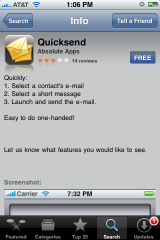
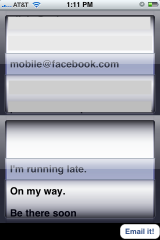
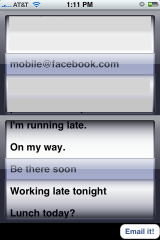
QuickSend is an application that allows you to quickly send prefabbed messages via email. When you open the application, it will display two scrolly wheels. In the top scrolly wheel are all the email addresses that you have entered into your Contacts. In the lower scrolly wheel are the messages that you have to choose from which include; I’m running late, On my way, Be there soon, Working late tonight, Lunch today?, Lunch tomorrow?, Stuck in traffic, Be there in 20 minutes, What’s for dinner? and I love you. Once you have selected an email address and a message, you can select “Email it!” in the lower right corner. This will open the message in an email browser where you can edit it or just quickly send it.
I think this application has a great concept…the ability to quickly and easily send someone a short message. However, there are a few things that I would love to see added to the app. The ability to add your own custom messages and the ability to text the message instead of email it. I know a lot of busy professionals who would love the ability to quickly send someone a email/text in just a few simple steps while using only one hand!

 Loading...


 Loading ...
hey doug, did u check out that site with ringtones?
yep, thanks for the link, added it to my to do list :)
haha… ur welcome
i love ur site and check it all the time
idk how the ppl at the apple store didnt know who u were!!!