 |
Available In: Cydia |  |
Price: Free |
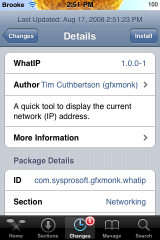
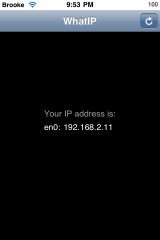
 I am sooo glad that we finally have an application like this for firmware 2.0!! WhatIP is a simple application that displays your local IP address. When you tap on the application icon, the app will find your IP address and display it in the middle of the screen. There is also a refresh option in the upper right hand corner. One of these types of apps is a must have on my iPhone! It is so much easier to just open an application and get your IP address then to go into your Settings, select WiFi, wait for it to find all the available WiFi connections, select the WiFi you are connected to, wait for it to load all the info and then finally get your IP address! If you do a lot of SSHing into your iPhone, this is a must have application!

 Loading...


 Loading ...
i agree its a lot easier than going into settings to find it… but just use BossPrefs and its right there when you open it. so i dont really need this app when i use BossPrefs
Yes, that is very true…if you are a BossPrefs user…you already have this covered!
Bossprefs for me too. Quick and no need of installing even MORE applications. Broole, don’t you use bossprefs?
Bossprefs is much easier……
got to say, first thing i thought of was bossprefs
Same here…. Bossprefs is the one.
i actually ssh so much i memorized my usual IP address….xD but this is quite useful if you don’t have bossprefs. and sometimes bossprefs takes a while to load though i haven’t checked this one out yet..
Vote for BossPrefs^^
bossprefs, to enable wifi, sshd. everything in one screen.
Its useful app to view in a fast time your ip address;)