 |
Available In: Cydia |  |
Price: Free |
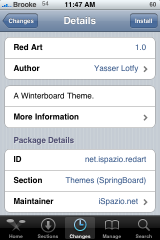
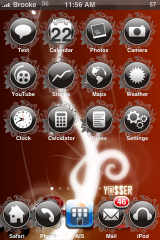
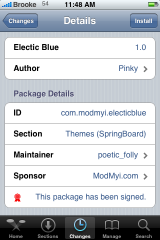
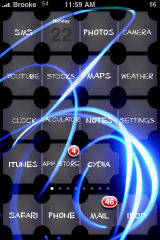
 Below are a few cool WinterBoard mods. The first two mods are themes. Red Art (via iSpazio) is a cool theme but, it only contains about 19 icons which do not include App Store, iTunes or Cydia. But, if you are ok with only modding a few icons…then you might like Red Art. Electric Blue (via modmyi) a theme that is basically made up of clear icons and a wallpaper. What I like about the theme is that the icons are unique…I have not seen transparent icons like the ones in this theme before. I did find that the theme looks the best with the Transparent Dock, No Undocked Icon Lables and No Docked Icon Labels options turned on in WinterBoard.
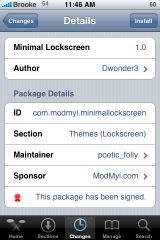
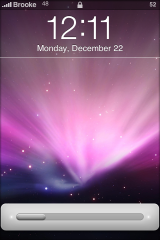
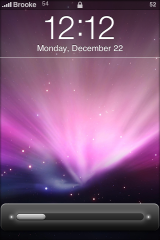
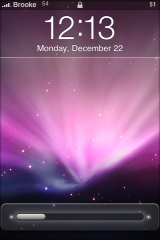
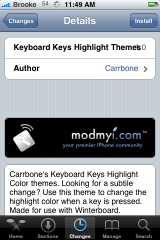
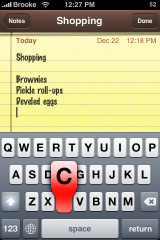
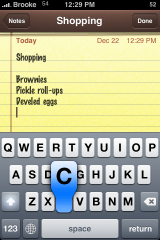
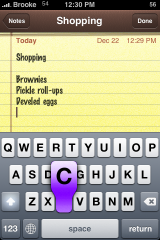
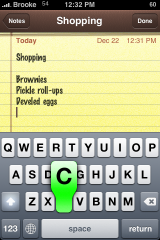
The next mod is a lock screen mod called Minimal Lockscreen (via modmyi). It changes the “slide to unlock” bar on your lockscreen. This application comes with three options for the unlock bar (light, dark and clear)…check out screenshots below. I personally really like this mod, it is clean and simple. It does come with a lock screen wallpaper so, if you would like to use your own lock screen wallpaper, you will have to select the User Lock Background in WinterBoard and move it above the Minimal Lockscreen mod. The last mod is a key highlight mod, Keyboard Key Highlight (via modmyi) What this mod does is change the color of the keys on the keyboard when you select them. It comes with four different color options; red, blue, purple and green (where’s pink???).
Note: All of the mods mentioned above are activated via WinterBoard.
Screenshots:

 Loading...


 Loading ...
the colored highlight keyboard could be random or, at least, mixed
can you imagine a theme in which an icon lets say the ipod icon could be changing its color .. like a slideshow of an icon.. pretty sweet don you think?¡ well i created that theme and it changes the icons just like a slide show is like to have a theme that changes without restarting the springboard.. im gona put a rapidshare link later ..
I’d like to see that.
sounds lik an amazing theme! dont forget to post it! lol
pickle roll-ups??? ewe!
Yes its preety amazing… Sorry i habnt post thr rapidshare link to download but i foun a bug when i tried to use it with 5 icons..im gona be posting a demo tomorrow but not the final work… Thanks for your waiting
Orry about the spellimg mistakes… Im really not use to write coments through my iphone
Hey Brooke, there’s an update to the keyboard highlight that adds pink to the colors.
U know what? Since I installed Transparent Calc I have the lock screen wallpaper that you use to show us how works “Minimal Lockscreen” and I havent it before!!!
I was excited to see pink too when I downloaded this, but alas, every color works but pink. I removed it and downloaded it again and pink still did not work. Anyone else have better luck.
Good news is purple does work;-)
The Minimal Lock game me a few problems, but I got it resolved.