 |
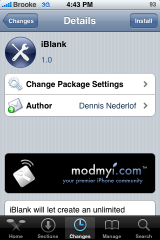
Available In: Cydia |  |
Price: Free |
 iBlank is an application that allows you to easily create blank/transparent icons. This is ideal for custom modding. I know Doug uses a blank icon under Stack on his dock. It is also nice for lining up your icons exactly how you would like them or use with certain themes. Here is how the app works.
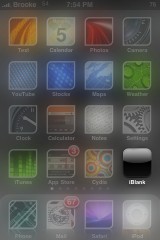
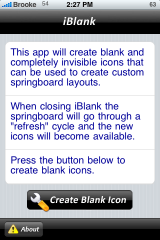
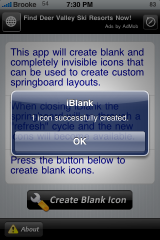
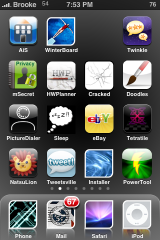
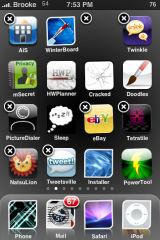
When you open iBlank, you will get the main screen which contains instructions on how to use the application. All you need to do, if you would like to create a blank icon, is select the Create Blank Icon button at the bottom of the page. You will then get a pop-up saying that the icon has been successfully created. Select OK and then hit your Home Button. Your iPhone will respring and you will have a blank icon on your SpringBoard. If you are having trouble finding your blank icon, just make your icons wiggle (tap and hold any icon until they all start wiggling). You can then find it because you will see a space with an x in the top left corner but no icon.
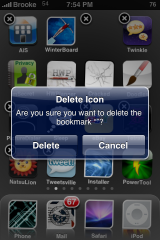
The only issue I have ever had with blank icons is the inability to delete them (see THIS post). So, I was slightly concerned that I would have the same issue with the blank icons created with iBlank. However, I was able to delete the blank icons very easily by selecting the x while the icons are wiggling.
Note: The blank icons that are created are basically blank webclip icons. So, if you are curious, you can find the icons in the var/mobile/Library/WebClips folder on your iPhone or iPod Touch.
Screenshots:

 Loading...


 Loading ...
Sweet
hey what theme is that
a8stract…available via the MacCiti source.
what is the macciti source
I dont know why you would want a blank one then you wouldnt know where it is to tap it again.. It would be nice to make it see through but the icon is still there and you can see what it is just see through
Hey I did this but is there any way to stop them from opening when u tap anywhere on the screen?
Thanks
E-mail me ASAP
Ok so if i want this to stop how do i do it? i mean every time i go to winterboard or i sync my phone i have to delete icons it is freaking annoying.
let me kno thanks.
download blanknull then when you touch a blank app it won’t go to safari it will do nothing but you can still move them
Hey, I might have deleted whatever source this was in. Does anyone know which one it is so I can download it again.
installed iBlank for WD6 but it does not run anyway. Application pops up and close nothing at all. any idea..?