 |
Available In: Cydia |  |
Price: Free |

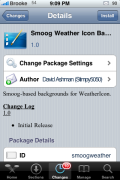
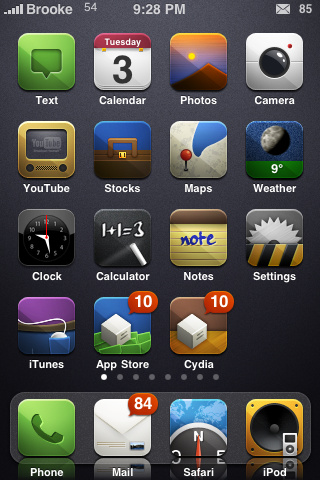 It seems that quite a few themes have been getting updated lately to accommodate both the LiveClock and WeatherIcon mods. One theme that I have always been a fan of has received one of these updates! You are now able to install a weather icon for the Smoog theme (via BigBoss) that supports the WeatherIcon mod. The title of the package is Smoog Weather Icon Background and it is available via the david.ashman.com source. If you are also a fan of the LiveClock mod, you can choose the Live lock Dark option in WinterBoard and it looks decent with the theme as well. Though, I would love to see another update that adds an icon that is actually compatible with the LiveClock mod.
How to Install
1. Your device must be jailbroken. (how?)
2. Make sure you have WinterBoard installed via Cydia.
2. Make sure you have the BigBoss and david.ashman.com sources installed in Cydia.
3. Search for Smoog Weather Icon Background in Cydia, run the install.
4. Open WinterBoard and activate both the Smoog theme and the Smoog Weather Icon Background option.

 Loading...


 Loading ...
Help, i installed it but now i got 2 icons in one! the standard icons and the smoog.
Do you mean that some icons look like the original and others look like the smoog theme?
If so, that is most likely because some of the icons you have are not yet themed.
I think he meant he got two weather icons on top of eachother. Go in to Winterboard and play around with combinations of Weather Icon och Smoog Winterboard Icon until you only get one :)
no i ment there are two icons in one. they overlay each other.
But i already fixed it in witnerboard by trying some combinations.
cydia now also got a new weather background theme. i like those icons more :D
Hi!
How get I the counter on the changes in Cydia?
Thanks
Hello there
I have winterboard on my jailbroken iphone 3g 4.2.1
I have downloaded the theme but it doesn’t show anything at all, like nothing has happened, other themes only work partially.
Can anyone help?
Cheers
You must open winterboard, check all the themes you want and put them in order then respring your device. If that dosent work than redownload or try another theme.