 |
Available In: Cydia |  |
Price: Free |
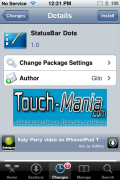
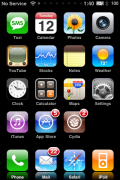
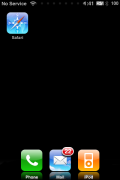
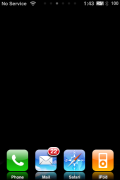
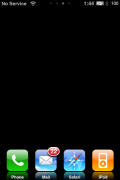
 StatusBar Dots is a mod that moves your page dots to your status bar. So, instead of having the dots below your forth row (or fifth if you are using the FiveIrows mod) they are on your status bar. In order to have the page dots on your status bar, the app moves your time over to the far right on your status bar (similar to the RightClock mod).
If you do not have any sort of status bar notifications, this mod should work well for you. However, if you do have status bar notifications, it will push all your notification over to the right and they will overlap on top of each other. You also cannot see the ninth page indicator dot if you have notifications on your status bar.
You might find this mod useful if you are using the FiveIrows mod or if you have a theme that interferes with the page dots but, you still want to know what page of your SpringBoard you are on. Not a mod I will personally use. Let me know in the comments if you intend to use it and why you decided to.
You can get StatusBar Dots via the Touch-Mania source.
Note: This mod is activated/deactivated via WinterBoard.

 Loading...


 Loading ...
Is it just me or the page dots are pretty useless? I organize my icons and I know what apps I have. I don’t need to know which page I am on, for what? Just saying.
This would not work with the SB Settings correct?
I notice to call it up,i would swipe the status bar.
Thanks for your time.Keep up the awesome work!
Sal
No, it works fine with SBSettings. You do not have to swipe to make the dots display they just show up all the time. They do not interfere with the swipe for SBSettings.
I really done see the point of it. Now if you could remove the dots permanently-that would be a different story
There is a mod on Cydia to remove them. I believe it’s called “No Page Dots”.
is there a way to remove the maginifier beside the page dots?
anyway found it :)