If you’re like me, you use the iPhone’s Mail app all the time. But if you use Gmail you should take a look at gmail.com using Safari. There’s been a lot of updates recently and Google is using HTML5 which makes the app really sweet. The video below shows you some of the features and how they look while in use.
ScreenShots
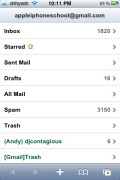
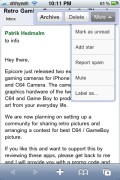

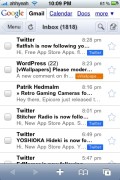
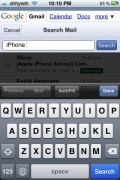
 |
Available In: Safari |  |
Price: Free |

 Loading...


 Loading ...
theres a nice free app in the appstore worth givin a look at its appgmail its a standalone browser directly to gmail.
This is great functionality but I really wish they would sort out push gmail. Google are usually so advanced but are lagging behind in this one !
I found two bugs in web version of gmail
1) Some emails do not wrap to fit screen. One has to scroll to right aide to see Text and pictures.
2) zoom in and zoom out first not work.
iPhone’s builtin mail app doesn’t have these bugs.
While the features look pretty neat, it’s a total waste of time since I can get my Gmail using the iPhones mail app. The big advantage of this being that I don’t have to physically check my mail, it tells me when I’ve got a new message.
Until the Gmail website is able to do this (which will be never) I can’t ever see me ever using this. I have the same concerns over the recently announced Google Wave, it looks really cool but if I have to keep checking in on the site for new messages then it’s a complete waste of time.
Agreed, maybe a webapp could use the notification service…
i agree with lufferov
The only time I use the webpage to check gmail is to search for an old message.
Hie guys it feels good to know that ,there is something you offer ,i really appreciate thank you please bye