 |
Available In: Cydia |  |
Price: Free |

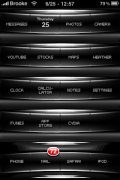
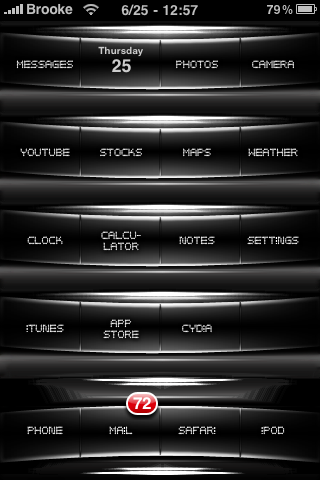 Black Chrome is a unique WinterBoard theme. It contains a dock, wallpaper, lock background and 2,151 icons. When you activate the theme in WinterBoard, you need to activate both the theme and the icons…they are separate. I’m not a huge fan of the icon font but, you might like it. You can get Black Chrome via the modmyi source.
How to Install
1. Your device must be jailbroken. (how?)
2. Make sure you have WinterBoard installed via Cydia.
2. Make sure you have the modmyi source installed in Cydia.
3. Search for Black Chrome in Cydia, run the install.
4. Open WinterBoard and activate the Black Chrome theme.

 Loading...


 Loading ...
It is definitely a unique theme. I don’t really think that the red badges go with it though. Whoever created it should add black ones. Other than that though it looks like a cool theme to try.
LOVE IT!!!
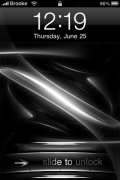
I would like to have that locked screen picture ;)
!
i cant get transparent dock to work! please help!!!
i need to create some custom icons, can any1 help?? font size, effects etc??
I downloaded this theme and i am not sure that it does offer 2000 plus icons,cause a few apps did not change,such as twitterfon/camera timer/crop it and another one.
Did anyone else have this problem or some icons did not change at all?
Thanks again for a great option on a them !
I had the same problem. My icons did not change at all. None of them changed.
How can i remove names of programs ?
Thank you so much!
But is it possible to ask you some new icons ?
I have it and it seems the “icons” are shifted a bit upwards so the text doesn’t match up like the thumbnail shows it. Any ideas? this happens with alot of these types of themes for me:-( help please:-)
I would like to create custom icons for a few of my apps to blend in with the theme. Does anyone know what font they used?
I absolutely love this theme. I just need some more icons for the apps that I have in my phone. AppBox Pro and there are quite a few more that I need. Anyone have the template for me to make the icons I don’t have or is anyone accepting requests to get the icons themed that are needed for this near perfect theme?