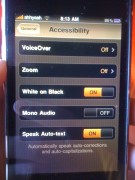
 I know some of you are bummed that you can’t jailbreak your iPhone 3GS. Well, if you are craving a new theme, you’re in luck…Apple gave you an option. You can invert your iPhone so that it is white on black instead of black on white. Apple says it is for people who have difficulty seeing black on white or to make it easier to see at night. I say, they are secretly coming over to the dark side! If you would like to change your iPhone’s theme so that it is White on Black just head over to your stock Settings application, the General Option, the Accessibility option and you will see a White on Black feature….just turn that guy On.
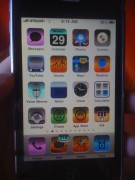
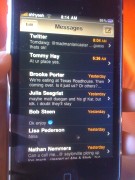
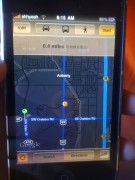
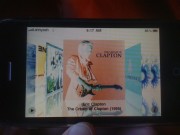
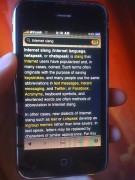
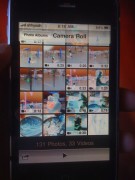
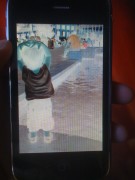
When you turn it on, it does change EVERYTHING. All your application will now be inverted as well as your Photos (they will look like negatives). It is pretty crazy! This feature is only available on the iPhone 3GS. Check out the images below…yes, images, screenshots do not show-up in the White on Black mode.

 Loading...


 Loading ...
this sounds like a software mod. why is this purely for the 3gs? shame on you apple
This also works on Mac OS if you press Control+Option+Command+8.
that is sweet…there should be an option to do this but all images still are the normal look
Yeah, the images are too ‘screwed up’ for me to use this every day. Looks cool, but the images are just too hard too look at.
yeah it sucks that they won’t leave the images the same. As obsessed as they are about power consumption, I’m surprised that they don’t let you use the black/brown look option for web pages or text etc, and not have to screw up all the icons. Do they really thing we want to see everything inverted? ridiculous. Apple likes to enable us with a taste, but disable any chewing. It’s why we still have to swipe and individually delete all our text messages when there should just be a “delete all” option. (Now I see why jail-breaking is becoming the norm) Steve Jobs has become what he said Bill Gates was. A total dictatorship.
How did you change you carrier logo w/o a jailbreak or ssh?
good question!
Something fishy = going on
I believe it was carried over when he restored from his backup on his previous phone.
impossible to carry over cuz this is only available on the 3gs which is not yet jailbreakable. also how did they get the numeric battery cuz thats not enabled normally.
would it be possible to install say a 3gs 3.0 f/w on a 2g or regular 3g and then gain access to the new features?
Not impossible to carry over. It is carried over when synced from a backup of a previously jailbroken iPhone 3G. Numeric battery is available on 3GS but not on 3G.
i have numeric battery on my 3.0 2g tho. but how can a backup of a 3g be used for a 3gs?
cause its a BACKUP not a firmware bundle.
why would they lie to you?
right but thats a back of my old jailbroken 2g. how can i have a backup of a 3gs with a numeric battery, if it cant be jailbroken in the first place to enable the battery. unless the backup from my 2g would transffer over, then i apologize
Yeah – I noticed when I upgraded from my jailbroke 2g to my 3GS that emoticons enabled was carried over – very happy with that one : )
sorry i meant go here
http://macdaddyworld.com/2007/12/31/caption-crunch/
That would be a jailbroken 3GS… they won’t release it to the masses (the “community”) but of course all the dev-team will jailbreak their own 3GS.
Steve is right, it carried over from when he restored from his backup.
Thanks
Here is a link to the official page from Apple on the feature: http://www.apple.com/accessibility/iphone/vision.html
Can you still tap the wifi and signal bars to get the numeric strength. Every time I update to a new FW I keep this feature from my previous jailbreak. Even when I updated to the 3.0 betas from 2.2.1. I hate how the battery is shown as a percentage beside the battery icon. Takes up precious status bar space. I like tapping on it better.
Yeah, I like tapping WAY better than having the percentage next to the battery. Like seriously…it’s just weird. BTW – the tapping does not carry over, it gets changed to the percentage next to the battery. I miss it.
It sounds like some people are just noobs to the whole jailbreak seen. If you change your carrier name or banner with make it mine from cydia with a 3g and create a backup in itunes then restore your phone to factory settings it is unjailbroken, then restore from backup with out jailbreaking it will show through even though it is not jailbroken. This would also happen even though it is a 3gs
This is a joke. Do they really think this is cool? Who in the world wants to look at photos like that? Apple stop trying to appease us with stupid little hacks and open up themes for unhacked phones.
This is pretty cool. Wish there was an option just to change the springboard.
Looks very ugly sry!
Try it. It actually looks pretty good, and the menus are much better.
…………….dude, you need to rename your post, it’s really deceiving…seriously
Totally AGREE
cb …tht not chge iphone theme…zzzzzzzzzz
go to http://www.blackra1n.com if u want to jailbreak and unlock iphone 3gs for free all you need to do is have iphone plugged into usb port and click on run and then download cydia and download rock as well as i think its snow to unlock for any carier its swo simple!!!!!!!!!!!
you can change the themes springboard as well as winter board here
and best of all its free
Bare in mind that the blackra1n jailbreak stops certain features in the iphone 3gs. MMS, wifi, GPS stops working. There are workarounds for this but it dont work a 100% for all cariers. So if you want a fully functional 3gs i recommend you not to use blackra1n untill a proper update. Although there are payable options to unlock your 3gs, but im not going to put commercials on for $$ apps.
Email me when we can hack the 3gs if you have succeeded in doing the jailbreak and have the answers.. I want in. This page does nothing for me wirlth regard to changing/installing a theme on my phone! Why does this thread exist? Can anyone tell me if there is a scroll through for written text for corrections? The select all, cut feature is killing me. Ippphhhooonnneee!!!!!!!
WOW THIS theme is dam nice. thank dude :)
haha…shame on you……