 |
Available In: Cydia |  |
Price: Free |

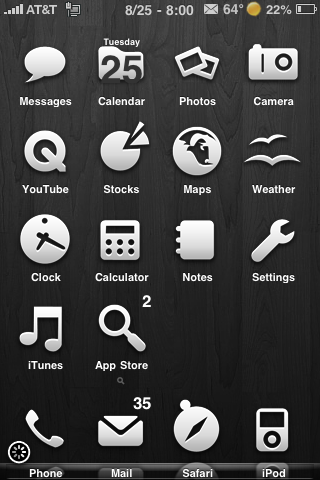 Dark Wood is a WinterBoard theme that contains 93 icons, a dock, wallpaper, statusbar, badges and a few other UI mods. There are a few issues with this theme, it is not packages for the 3.0 firmware so you will need to ssh into the Library/Themes/Dark Wood/Icons folder and change Text.png to Messages.png. Also, there is no Stocks icon so I changed the Charts-Excel.png to Stocks.png. You can get Dark Wood via the modmyi source.
How to Install
1. Your device must be jailbroken. (how?)
2. Make sure you have WinterBoard installed via Cydia.
2. Make sure you have the modmmyi source installed in Cydia.
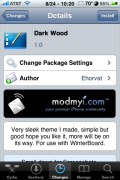
3. Search for Dark Wood in Cydia, run the install.
4. Open WinterBoard and activate the Dark Wood Theme.

 Loading...


 Loading ...
whoa neat this is my theme and i just seached google and it came up sweet