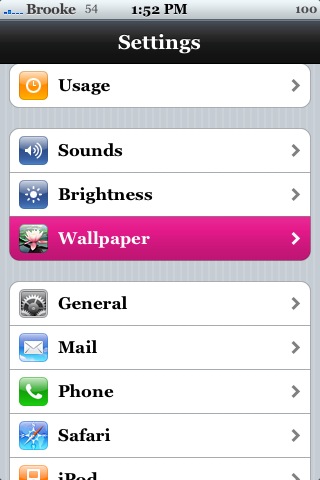
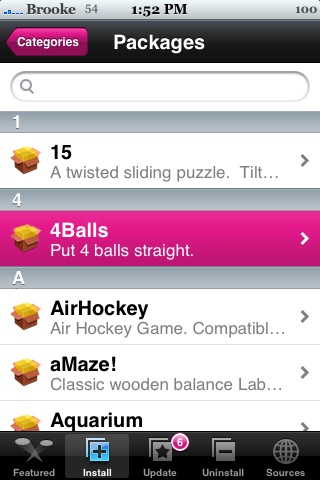
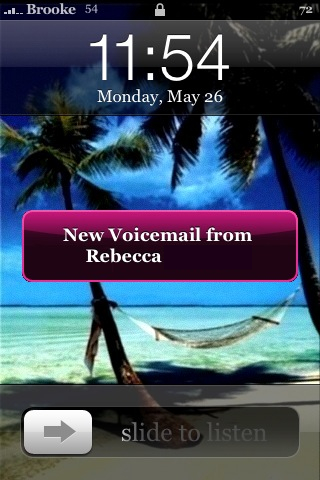
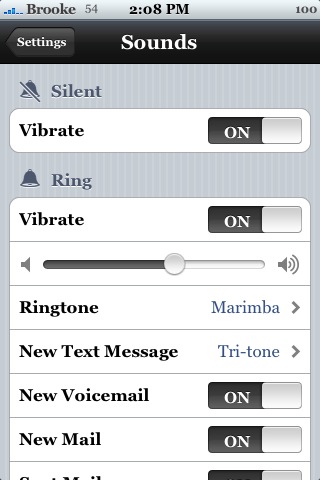
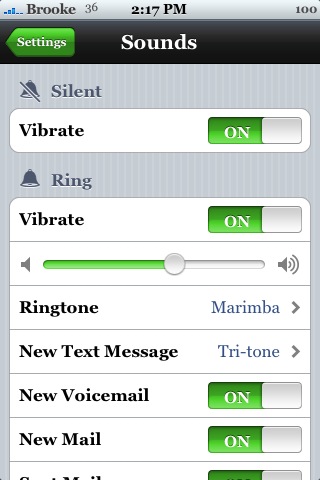
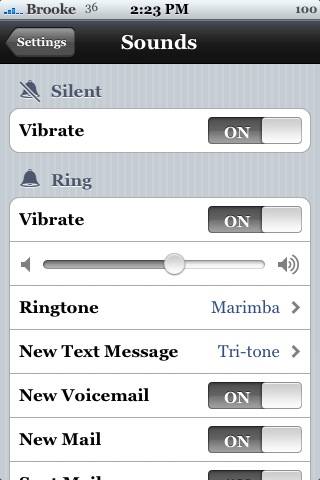
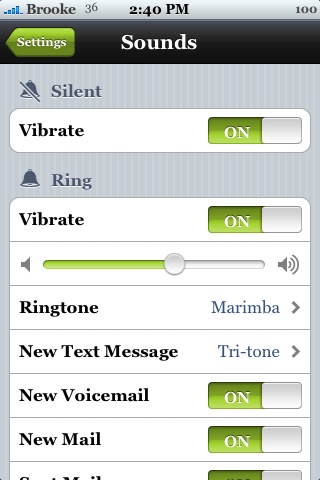
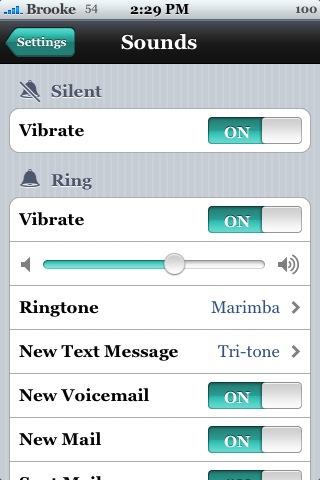
I recently ran across this mod and I think it is crazy SWEET! So, I thought I would pass it along. When installed, it will change all your system buttons/taps/pop-ups to the color you choose. This includes all your toggle options, SMS pop-ups, slider bars, badges, arrows, highlights, all the buttons in applications…etc. It is available in Black, Dark Blue (which I couldn’t get to download) , Green, Grey, Lemon (actually Lime), Light Blue (Teal), Lila (Purple), Orange and Yellow. This mod is available through the iPhoneFreakz source.
Note: Only install one color at a time and if you decide you do not like that color, just uninstall it and it will go back your stock color. I have noticed that it does make some badges and arrows look a little pixilated but it’s tolerable. Doug does not like that it changes the badge color, especially in the black Interface because it makes it hard to see. Doug and I have both installed, changed and uninstall this mod with no problem.
Pink:


Black:

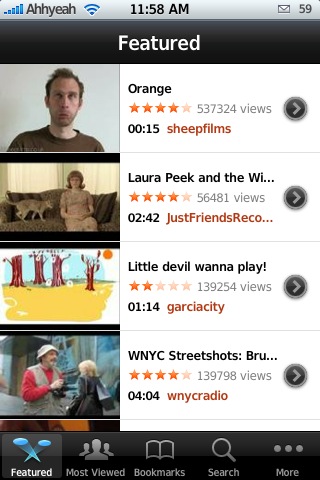

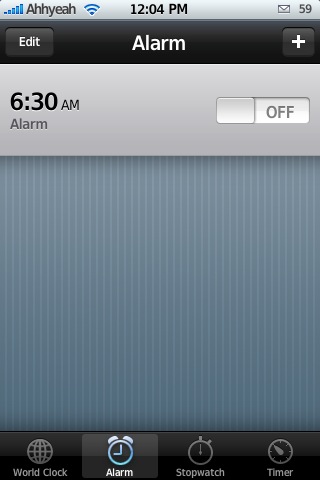
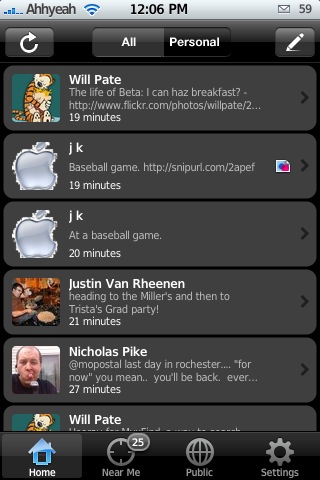
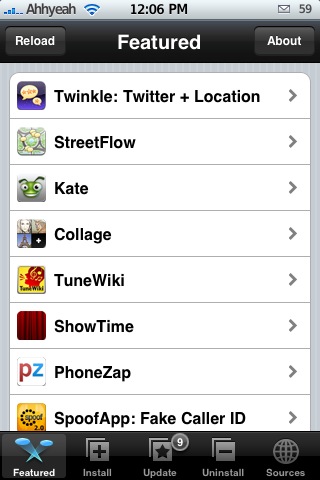
Rest:
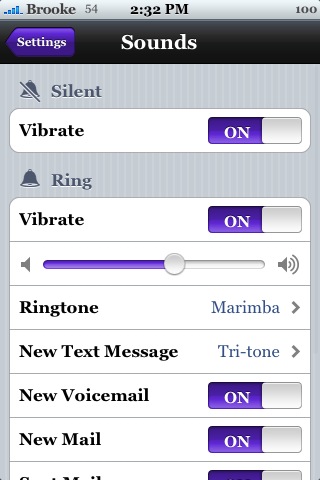

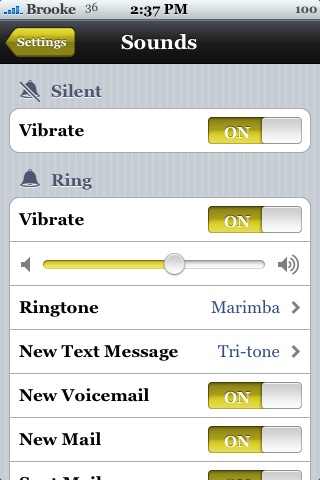

 Loading...


 Loading ...
thanks for giving credit :)
It’s great work, gives a whole new level of customization to the iPhone.
Sorry on the comment i made on you site. about how i think this site is better :(
FYI darkblue is working!!! : )
Thanks! I was just about to e-mail ya’ll and ask about that! LOL
I was able to download and install the dark blue interface without any problems. This is a great app! Thanks!!
I have tried all the colours and I alse prefer dark blue!!! Love it!! :D
Yeah… this is a great app! Thank you sooo much to the developer…
hey multinova thats not ok
i created this artworks and i put in on rs to get many premium points itmom i have more than 5000.
Please ask me for permission the next time kraussco
where is the RS download link? I want to be able to do it manually as well…
http://rapidshare.com/files/116535562/rainbow_artwork.zip
and you can see that i don´t lie at my blog touchpod.de i offered tis mod
and look on the date
I hate it, the grey color completely messed up my colorscheme. I wish the create a ‘default’ color for download so you can restore your theme to the original even after uninstallation of the mod
well, when i uninstall it, the theme goes back to original..
I Tried to uninstall, but it doesn’t appear in the uninstall list.
Now also installer won’t open anymore, so i’ll just rejailbreak my touch and I hope to be fine (it’ll take some time to install all my apps again ;))
dont hate on Multinova’s hard work man. Its not the mod’s fault that you downloaded an untrusted source, that is just the risk you take when you install anything.
I like how it also changes intelliscreens color. Nice mod.
Thanks
i know that is sweet
Well, I prefer the Default Blue colour.
If Apple had set the default colour to black.grey. I know that people would use this mod and change to Blue colour.. :)
I got it Dark Blue!!!
Something is wrong with my installer. everytime i try to download this, it says main script execution failed. in which it does on every application i try to download now. Can Brooke or anyone help?
I have the same problem, I need to rejailbreak my touch, every app closes as soon I try to open it.
Have you tried clearing your queue in Installer? I would try that first.
Nice!
If a future version could be downloaded all at once and go changing colors rather than loading and unloading one after one, it would be one of the best applications!
so should i restore my iphone and jailbreak it all over again?
no do a hard respring! Turn your iPhone power off then turn it back on
how can i change the font of the iphone?
You can use Kate/Caterpillar.
Or FontSwap
I love these!! I only have one problem, why does it turn all the top bars black…? I didn’t sign up fer a black safari!!
Is that a bug that can be fixed? or will I have to just edit the other.artwork file myself to get it done right?
I agree, the font for the page title is black so it’s hard to read it. If that, the little arrows, badge staying red… Oh and a red theme, then I would keep it. It’s still a very nice mod!
this messed up my iPhone. how do i uninstall it??
It messed mine up too, but i was still able to run installer… so i reinstalled it, and now my iphone is working again.
Awesome! That could be available on customize :(
min script failed on all plz help me
works and looks like butter
Hmmm…great app, but not really feeling the color choices. The “Dark Blue” is kind of purple, and the “Teal” is a bit too green. I’d LOVE one that matched the signal-bar blue tone though.
so all this does is change your other.artwork? kinda weird y’all’ve never heard of this o_o (not this specifically.. just other.artwork editting)
me i’m waiting for the badge other.artwork, the colors on these are kinda off
its so nice
but one problem.. How do uninstall it? anyone help me ?
thanx..
Hmm.. i don’t know why, I can’t find those mods in installer (even though “iPhoneFreakz” did appear as a new category, but inside there’s only “Blueish Battery + several SMS sounds…)
Besides when checking iphonefreakz.com/repo.xml thru Firefox, I cannot read “Interface” anywhere… how come ?
And no, I couldn’t install any of those interfaces, so it shouldn’t be a uninstall issue…
Anyone has a clue ?
Nevermind, I figured out that it’s because my source was “iphonefreakz.com/repo.xml” instead of “www.iphonefreakz.com/repo.xml” >.<
It’s nice to have this app, ok there’s work that could be done on it but at least the insight is there and this is one app that i can only see getting better and better with each release.
Sweet:x
While i’m downloading, finally they show the message” ERROR Main Script Execution failed” pls teach me how can i download it
Okay, I installed the green Interface Mod. The only mod it made was to render most of my app backgrounds and function sliders completely unreadable. Now I cannot launch Installer to get rid of Interface Mod. Not the coolest thing, not hating on the work, just warning people to watch out for problems or a newer version without them. Well I guess I needed to restore/re-jailbreak anyways…
what do i do i installed the black and aquablue theme then i uninstalled it and i can NOT go into settings ,installer, contacts in the phone program what do i do HELP………
I’ve got the same problem! Someone help please!
I GOT IT FIXED!!!
jack, go to http://iphonefreakz.com/2008/05/25/change-your-color-themes/#more-2951 and read the comments. (=
Dark blue works for me, but I think it looks like purple
i have iphone v1.1.2 and this doesnt work on it. does anyone else have the same problem? all the artwork gets corrupted.
Hi, if you uninstalled a theme and your iPhone seems to have crashed (no more buttons, apps run then close, …) ; don’t reinstall!
If you can get in your iPhone with WinSCP or iPhoneBrowser, just browse to /System/Library/Frameworks/UIKit.framework/ and rename the file Other.artwork_old to Other.artwork (remove the _old in the name).
Respring and your iPhone is back !!!!
i downloaded the pink interface.
it was weird cos it looks distorted…like it wasnt fully pink but came out in lines?
kinda like a broken computer screen? how can i fix this?
this does not wok on 1.1.2?
oh and..is there a way i can jailbreak my iphone from 1.1.2 to 1.1.3, without losing any info or apps i already have? and if i will lose them, is there an easier way to download them again instead of installer one by one, maybe in ssh?
I’m not about to download pink, orange, or lemon to my phn the other colors work great. When I try to install them I receive an error messsage can’t download file this is happening with alot of my apps. My vwallpaper has stop working and my itoday also can someone please help Doug, Brooke, somebody please and my version is 1.1.4
and my customize stop working also please help
i have cydia on my phone so how can i get the pink me on my iphone i tried finding the source in cydia but its says it can find resporitory..so can anyone help me