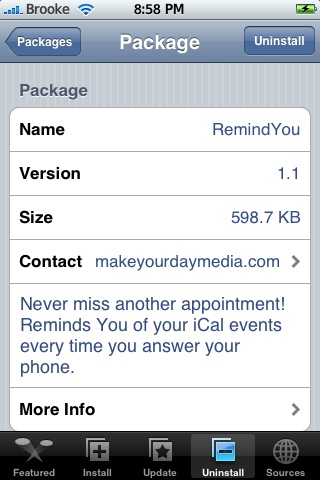
 There are no visual changes to version 1.1 of RemindYou. The update did contain some bug fixes however, we continue to have issues with this application. I personally have never been able to get RemindYou to work on my iPhone. It does work on Doug’s iPhone but, it has random glitches. One example is that it made the lock screen go black with nothing on it. Let us know if you use this app and how it works for you. RemindYou is available through the BigBoss source.


 Loading...


 Loading ...
I think you missplace the first screenshot of this review with a ‘PowerManager’ installer description screenshot.
Keep doing all good work in the site!
Yes, I see that…I’m having a little trouble with our control panel…as soon as I can get in, I will change it. Thanks for the heads up!
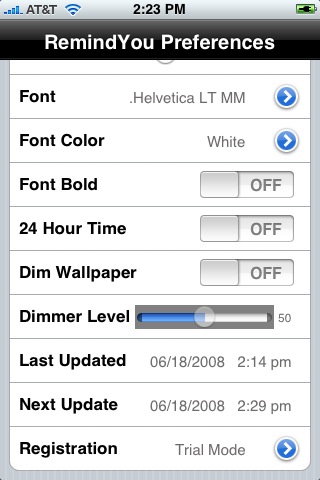
Trial Mode??
if i use then i have to buy it, isn´t it?
why is every app for an calendar lockscreen combined with costs?
okay iToday is still free, but if it´s running out of beta?
You said above that this made Doug’s iPhone go to a black screen?
I have been experiencing a problem (once and a while).
I lets say unlock (sometimes even happens when its in lock mode) I’ll go to ‘SMS to view a text message within a second, or two, the screen will go black.
I then have to press the home button a few times (I hear a click) for it to return to the home screen.
After that all is good until it decides to happen again.
Could this app be why???
I did install it when it first came out but within a few hours I un-installed it.
What are you thoughts?
Thanks
Hi all,
I just had to restore my iphone because i could not remove the reminders which were placed on my screen. I had too reminders placed on it and i tried the following:
-first i tried to just remove from my calender…didnt work!
– I then turned off the app in the settings….Didnt work!
-Then i removed the app completely…Didnt work!
-I then went to reset and tried that….didnt work either!
It was only after a complete restore that the reminders were removed from my screen.
In my opinion, I suggest you tread very carefully with this app as it is obviously conflicting with something on my phone.
A great little app but i shall not try installing it again.