 |
Available In: Installer |  |
Price: Free |
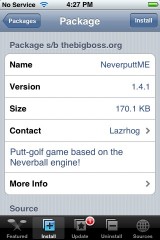
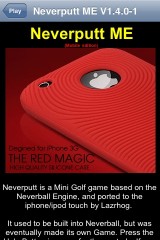
 NeverputtME is a game that has been out for a little while now via Installer…for firmware 1.1.4 and below. It is a putting game, created by Lazrhog, that is based on the Neverball engine. I actually tested this game when it first came out however, like Neverball, it is impossible to get screenshots of the application. Well, we finally got some screenshots! So, time for a review! When you open NeverputtME, you will get the info screen where you will get a little bit of information about the app. To get to the Main Menu of the app, select the Play option in the upper left corner.
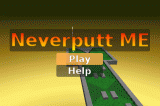
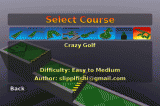
You will then be brought to the main menu which has two options; Play and Help. Help will give you hints on how to play the game. If you select Play you are able to choose a course. As you drag your finger across the course options it will display a short description of the course, the difficulty level of the course and author of the course. I will say that this part of the menu is a little tricky to navigate…it will take a few tries before you get used to it. Once you have selected a course, you can then choose the number of players ranging from 1 to 4. This will bring you into the main play screen. You begin playing by tapping on the screen.
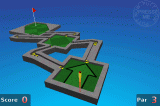
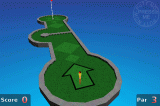
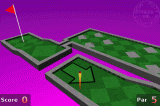
You will see that your Score and the Par for that hole at at the bottom of the screen. In the middle of the screen is the hole. To aim the ball, you can swipe left and right. The yellow/red line behind the ball represents how hard you will hit the ball….the longer the line, the harder the ball will be hit. You can adjust the power of the ball by swiping your finger up (less power) and down (more power) on the screen. Once you have the ball aligned and have the amount of power set for the ball, you tap the Press Me button in the upper right corner to actual hit the ball. After each stoke, you will need to tap the screen to hit the ball again. When you have finished a hole, you will get a screen displaying the scores. It will show the par for each hole and your actual score for each hole. The first hole was a par 2 and I got 7…the game said I was Lame! Ha :)
I will say that it does take a few holes to get used to the controls. But, once you are used to them…it is no problem at all. Doug really likes this game, I’m not big on golf. But, if you like golf or you like golf video games, you will definitely want to check this one out! You can get it via the BigBoss source.

 Loading...


 Loading ...
I really like this game; it’s much better than Neverball in my opinion. My husband and I always play mini golf on vacation trips. For the past week we’ve been playing this game together. It has 7 or 8 different 18-hole courses ranging from very easy to pretty hard.
amazing game, just wish you could choose your hole among the course sets so you dont have to start from hole one every time you exit out of the application, say if you get a phone call.
I had this app for a while too but I totally forgot about this, im going to check this out again, thank you for posting this review. Wow I forgot about most of the apps I have on my iphone.
just wish this would come out for 2.0 id like to check it out
agreed! lazrhog, your ports and work are amazing to say the least! is there any chance you will be updating to 2.0 soon? I really want to try this and I miss neverball but I also really like 2.0. I really really hope you can find out how to update these and distribute them through the new cydia! That would make iPhones/iPots so much more awesome, heh!
this and neverball will either be on cydia/installer for 2.0 in the near future, or on Appstore for free if I get developer status. Enjoy the game :)
thank you so much, man. you are my hero! i’m stoked. and i also have serious respect if you pay to be a dev and then release this for free, everyone will be like, “what? this is amazing! who is this guy and why is he so generous?”
thanks again