 |
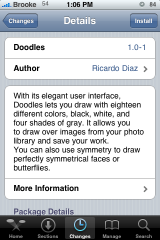
Available In: Cydia |  |
Price: Free |
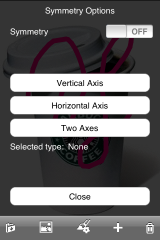
 Doodles is a simple drawing application that is available in Cydia via the iSpazio source. When you first open the application you will get a white page with a lower menu bar…this is actually the main drawing page of the application. The options on the lower menu bar are (left to right); Save, Background Options, Line Options, Symmetry Options and Erase.
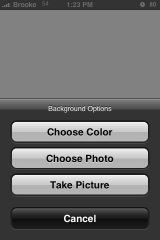
The Background option allows you to choose a background for your drawing. You can choose a solid color, a photo out of your Photo Albums or you can take a picture. The only issue I have with this option is that once you have selected a background, there is no way to delete it. You can change the background if you have chosen a color background but you cannot erase the background and if you set a photo as the background or taken a photo for the background you can neither change it nor erase it. You have to close the application and reopen it to start over.
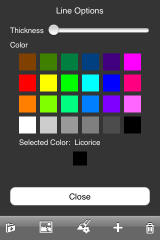
The Line option allows you to choose the size of your brush as well as the color you would like to draw with. This can be changed as many times as you would like in one doodle.
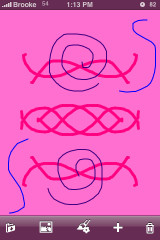
The Symmetry option is pretty cool. It allows you to draw over an axis giving you the option of a vertical axis, horizontal axis or both. To use this feature, you will need to turn it on, select an axis and then select Close. Now when you draw, you will be a mirror image of it based on which axis you chose. You can really do some cool things this option and can also be changed as many times as you would like in one doodle.
The Trash option will delete your drawing. You do not get a warning with this one and it deletes ALL of your drawing not just the last mark. So, make sure you want to erase your entire drawing before you select the trash option. However, it does not erase your background, just what you have drawn. It would be nice it there was a pop-up making sure you wanted to delete your drawing (I have accidentally deleted two drawings already!). I would also love to see a few options such as; letting you undo one mark at a time, an erase all option, an erase background only option….etc.
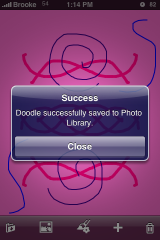
Now, the Save option. I personally cannot get this option to work. It says that is has saved my doodle to the Photo Library but, it doesn’t show up anywhere in my Photo Albums. So, you will have to take screenshots for now!
Update: Your doodles are indeed saved to your Camera Roll you just cannot see them on your iPhone. However, you can see them when you connect your iPhone to your computer so, you can get them off your iPhone that way.
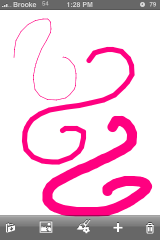
Once you have chosen all the options you would like, you can just touch the screen to draw.
Overall, this is a very simple application that is most definitely still in its first stages but, I’m excited to see what the updates bring.
Screenshots:




 Loading...


 Loading ...
As soon as I tapped save, I went to my camera roll and my doodle was saved there and I was connected to a computer.
What do you mean connected to a computer?
Could you see it on your iPhone or only on your computer? I couldn’t see the saved images on my iPhone. But, when I connected my iPhone to my computer (via USB cable) and opened my iPhone, I could see the files and was able to drag them to my computer with no problem. But, I just couldn’t see them on my iPhone.
I could see them on my iPhone in my camera roll. I haven’t had my iphone connected to the computer yet so I don’t know wether they show on the computer but if they are in the camera
Roll they should be.
i hv been trying to download this DOODLES in my new iphone 3G., but no longer in Cyndia. What happen?, my previous 2g its ok, but not recentlty. Missing?.