 |
Available In: Cydia |  |
Price: Free |

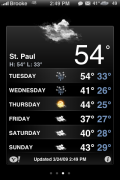
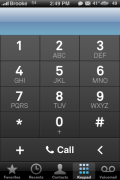
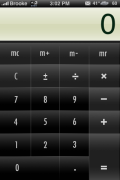
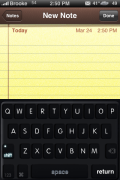
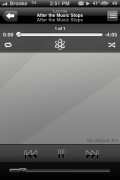
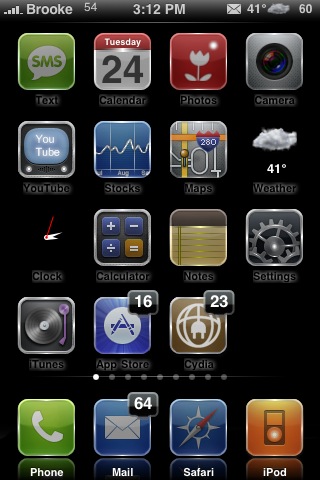 BlackDarkness is a dark theme that includes a ton of mods such as; weather theme, chat bubbles, iPod UI, keyboard, dialer, sliders, badges, dock, statusbar, 260 icons, calculator…etc. Usually I’m not a big fan of themes that change a lot of the UI but, that is only because they usually are not very good. However, I was impressed with the mods in the BlackDarkness theme…they are well designed and fit the theme nicely. If you like themes that mod pretty much everything on your iPhone or iPod Touch…then you might want to check this one out. It is available via the modmyi source.
How to Install
1. Your device must be jailbroken. (how?)
2. Make sure you have WinterBoard installed via Cydia.
2. Make sure you have the modmyi source installed in Cydia.
3. Search for BlackDarkness in Cydia, run the install.
4. Open WinterBoard and activate the BlackDarkness theme.


 Loading...


 Loading ...
Looks quite good. I’m going to download now. :)
The calculator is a problem. Like a lot of calculator mods it doesn’t work in landscape mode.
I like this, I haven’t jailbroken yet :(
Well why not! :)
Well I don’t want to void my warranty plus my parents don’t want me to void it as it was a present so for now, I will just enjoy it how it is. Or try to at least, but hey.. it’s still an iPhone!
Hi. What is the mod called to bring weather info into the status bar like I see on these screenshots? Also, what is it called on the lockscreen picture to have email notification along with the text notification?
You will want to download the WeatherIcon app from Cydia…via the david.ashman.com source. Once installed, you can then go into your stock Settings apps and change the setting of the WeatherIcon to have the weather on your status bar.
The lockscreen is called HomeScreen2.0. Here is the post on that.
How do I get the black keyboard and dialer?
awesome. thanks a lot Brooke! I appreciate it!
I like it . but …. the Icons are from iGlasssol…the dialer is from some other theme , and so on…. .. ummmmm defeats the point of having a new theme.
I like this theme, but when I downloaded i got an error saying “MD5Sum Mismatch”. Can any1 help out on this?
I got the same error. I just downloaded a few apps after that and restarted the phone and then it worked for me
Hey i found the answer. to MD5Sum Mismatch, instead of doing asearch when u first open cydia, i went to the source and installed from MMI and no error.
Hope this helps sum1 else out. the icons resemble IGlassSol theme. Nice tho
How do you get your weather icon to be like that? All I get is the stock icon.
Cool theme, do you listen Lecrae? Pretty good! Peace
anyway i can use my own keyboard while still using this theme??
hey this is a great theme! i love it! but how did you get that weather icon…mine is different. and i was also wondering if you plan on coming out with any other icons that go with the theme, maybe ones like PhotoSwap, GasBuddy, but either way i live love it. please let me know asap how you got that weather icon! thanks!
I saw this New Theme about a few minutes ago, and i really like it, it’s great that the phone locks as scheduled, there has been two other themes that would stay on all the time unless you would lock it yourself, when it stays on, of course your battery drains.
Thanks again for a new look on the iphone, much appreciated!
Hey. Love the new layout. First time I’ve seen it. I almost exclusively view your site via my iPhone.
I love this BlackDarkness theme. I’ve been using it ever since it came out. My only beef with it is that it has the icon label. I’ve tried enabling “No Undocked Icon Labels” via Winterboard and that doesn’t seem to fix the problem. I know it can be done because when you put an app in the dock it loses its label.
Can you all help me out? If it will require SSH’ing I’ve done that a little bit, but not enough to really know exactly what I’m doing, so you are speaking to a relative novice here when it comes to modding.
Anyway, thanks in advance.
Did you drag “No Undocked Icon Labels” -above- Black Darkness in WinterBoard?
Thanks Aktariel. I always wondered the point of moving the stuff in Winterboard. It all makes sense now.
HEY BROOK I SEE YOU HAVE TWO WEATHER NUMBERS ON YOUR STATUS BAR ONE SAYS 41 AND THE OTHER ONE SAYS 49 I HAVE TWO TEMPS ON MINE TOO AND IT TOOK OUT THE BATTERY ICON. I JUST WANT ONE TEMP. NOT TWO
If I am not mistaking, the second “Temperature is the Percentage of the Battery….so its not a second weather temperature, only the Batery status set to the numeric type