 |
Available In: Cydia |  |
Price: Free |
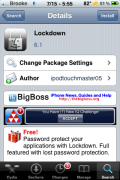
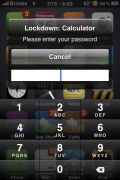
 Lockdown, is an application that allows you to password protect other applications (stock, App Store and jailbroke) on your iPhone or iPod Touch. I haven’t done a review of this Lockdown since it was first released. However, I received an email saying that it has been updated and is now working with the 3.0 firmware (which it is).
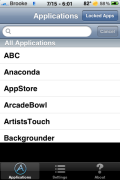
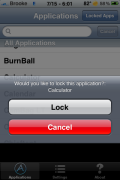
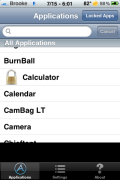
The UI of the app has changed a little since my first review of the app but, other than that…it is basically the same. You are able to password protect stock, App Store and jailbroke apps that are on your device. A few of the new features I noticed is a Locked Apps option which allows you to quickly view all the apps that are locked, instead of having to scroll through the list of them to find which ones are locked.
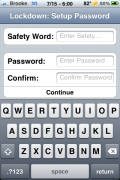
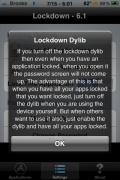
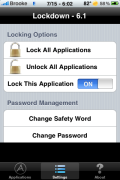
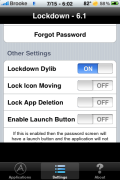
There are also quite a few new options in the Settings. You are able to both lock and unlock all applications with one button, change your password and safety word, lock your icons so that they cannot be moved, lock your icons so that they can not be deleted and the ability to turn on launch button.
I have been testing this application for a while now and I have not had any problems with it. This is actually a very useful app that I will be keeping around. You can get Lockdown via the BigBoss source.

 Loading...


 Loading ...
I love Lockdown. However, I have noticed a couple of bugs. Maybe it’s related more to MobileSubstrate than it is to the actual app? Can’t really be sure. Anyway, I notice that when I lock certain things like the Settings app, Mail app or a webclip (Safari Bookmark) and then try to open it the phone restarts in Safe Mode. It’s a random thing and seems to only happen when I actually lock an app.
It kind of defeats the purpose because once the phone resprings in Safe Mode then anything that was locked is now wide open. The app worked perfectly on firmware 2.x.x. But I guess there are bugs that need ironing out. Or it could just be my phone. Has anyone else experienced these issues?
I am using an iPhone 3GS, 32GB Black jailbroken with redsn0w v0.8
Thanks for the review update on lockdown. Great app and it is exactly what I have been looking for. I use it to lock down financial apps, as well as my photos and camera. Works great so far. I have a 3Gs on 3.0 jb. :)
Paul
Hi,
With the recent update I’m not able to lock iPod cause I can’t find iPod in the applications. I could do that with the previous versions. Anyone have this problem, pls help me with this.
Thanks,
Imtiaz
Yeahh …
I installed Cydia through an application called blackra1n and I have the 3.1.2 OS software and when I try to use this app and I lock the “Text Messages” app, I go to the”Messages” app and I click on it and it doesn’t ask for the password that I entered …
Can someone help me with this issue ?????
P.S. I have some nosey people that want to use my phone a lot and sometimes I’m not sure if they go to my messages and see what I’m talking to people about so that’s why I installed this application through Cydia.
Is this only for jailbroken phones? If so are there any other apps like this that will work on non jailbroken phones?