 |
Available In: Cydia |  |
Price: Free |
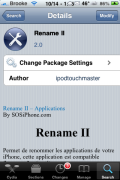
 Rename II is an application that allows you to easily change the name of Stock, Jailbroke and App Store applications.
Rename II is very simple to use. The application gives you three options; /Applications, Appstore Apps and About. The /Applications option lists apps that are in your /Applications folder. This will include both stock and jailbroke applications. The Appstore apps option is where you will find a list of all the App Store applications that are on your iPhone or iPod touch.
To change the name of an application, just select it from the list. You will then get a pop-up where you can enter what you would like the new title of the app to be. Once you are finished renaming the app you can select Ok and then hit the Home Button, your device will respring and the apps will be renamed on your SpringBoard.
There are a few things I like about this application. I like that it displays the application’s original name on both the list and the pop-up where you can change the title of the app. This makes it much easier to change the app back to it’s original title. I also think it is cool that you can rename applications with emojicons. It would also be sweet to have a Rename All option that would put all icons back to their stock titles. When I was testing the app, I changed quite a few app titles and now I have to try and remember which ones they were! :) Or, maybe some sort of indicator next to the apps that are not their stock titles.
I have found that Rename II does not work perfectly for me. I am not able to rename any of my stock applications (besides Voice Memos). I can however rename all my jailbroke and App Store applications.
You can get Rename II via the SOS iPhone source.





 Loading...


 Loading ...
Clearly, this is brilliant, especialy for a 5 column springboard where the original names are longer and overlap each other.
Hi Brooke, I like the theme you have in image6, what is the name of the theme you are using in that image?
That is Smoog via the BigBoss source… my favorite.
Great idea, but othing was mentioned about any adverse effects. What happens when the app is updated. Anything? Do we get two? Are updates skipped? These concerns must be address before I use this :)
How come no one ever answered this question? I am very curious about it.
Cannot seem to find it on Cydia….Any Help would be appreciated.
Thanks.
I believe the correct repository location for SOS iPhone is: http://cy.sosiphone.com/
(not http://rep.sosiphone.com, as listed in the Sources page)
EDIT: nevermind, both of those are listed in the Sources page.
cy.sosiphone.com is the one you want for Cydia, rep.sosiphone.com is for Installer
Be careful when renaming some cydia apps, such as Winterboard. It looses it’s themed Icon if you have a theme enabled.
The source is on SOS http://cy.sosiphone.com/
Any difference in this version from the original Rename app? I’m currently still using the original version and it seems to work just fine…wondering if there’s any need/benefit to update to Rename II?
I for one haven’t noticed any real difference. I get the original Rename app from the iFoneguide source in Cydia. Rename II seems to download the dependency “attachment= for mailto:” system app as well. Not sure why. None of this gets explained anywhere. The original Rename is standalone with no dependencies. It works great for me. I’m using iPhone 3GS custom firmware 3.1.2.