
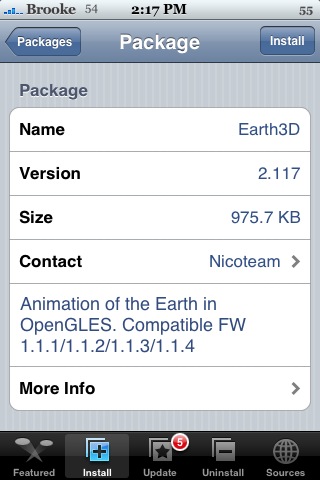
 I do not see any visual changes in the updates to either AirHockey or Earth3D. I’m assuming there must have been some behind the scene fixes. Let me know if you notice anything. Both are available through the iSpazio source.

Learn how to use, hack and mod the Apple iPhone, iPad & iPod touch
I do not see any visual changes in the updates to either AirHockey or Earth3D. I’m assuming there must have been some behind the scene fixes. Let me know if you notice anything. Both are available through the iSpazio source.
 (No Ratings Yet)
 Loading...


 (5.00 out of 5) (5.00 out of 5) (5.00 out of 5) (5.00 out of 5) (5.00 out of 5)
 Loading ...
I once tried to update air hockey… the download stopped before ending because I accidentally turned off my wireless router..
since this day I can’t download air hockey anymore.. when i click Install
it doesn’t try to download.. but says “Package Download Fail”
Is there any Cache directory I should delete?
Go to your applications folder and make sure that it did not install the app. If so delete the app from the applications folder and go back to installer and try to install again. I had this problem before with a different application and that is what I did then the application loaded. Just a thought.
the app is not at the applications folder.. =/
any other idea?
try clearing your queue. Sometimes works for me
patch your installer to 3.11 it should selve Package Download Failed Problems
I’m already using 3.11 installer..
:(
Problem Solved…
needed to remove some cache folders as I thought..