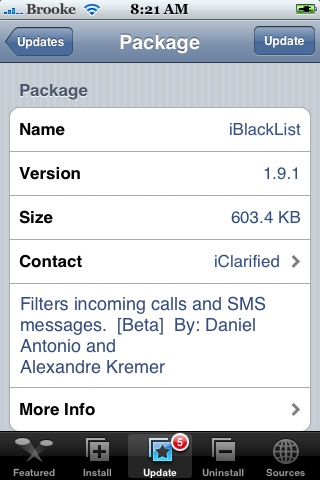
 I have tested this application many times on many different version and have never done a reivew of it due to the fact that I did not think that it functioned well enough. Well, I am actually quite satisfied with version 1.9.1 of iBlackList. Below is a full review of the application. However, I am going to give a brief warning first. I have never used a call/sms filtering application that works completely perfectly and iBlackList is no exception. Please read this review and install at your own discretion.
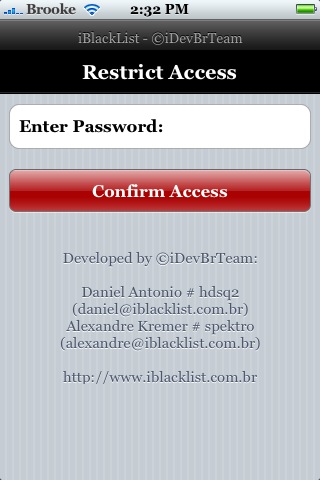
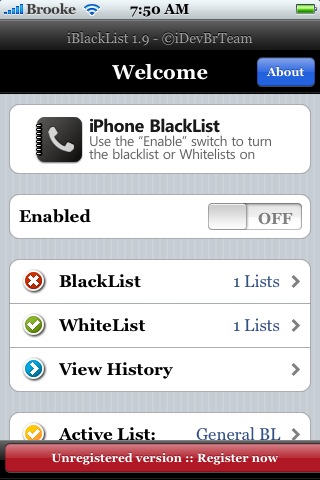
iBlackList is an application that allows you to filter your incoming calls and text messages. After installing the application you will want to restart your iPhone. Do not skip this step…make sure you restart after installing. When you open iBlackList, you will come to a password screen. The default password is 1. After you have entered 1 and selected Confirm Access, you will get the main menu. There you will see quite a few options including; the option to Enable the application, Blacklist, Whitelist, View History, Active List, Call Settings, SMS Settings, Scheduler, Extras and Password.

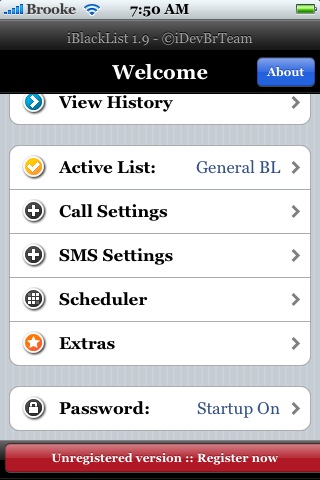
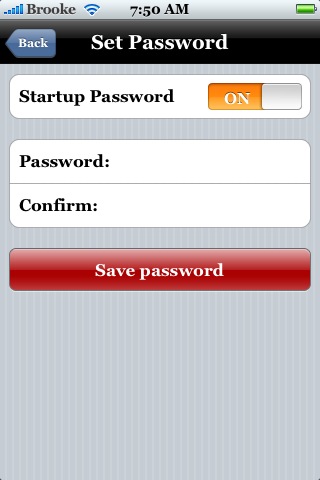
The first thing you will want to do is change your password. To do so, select the Password option. Here you can choose to turn off the password and you can change your password. Once you are finished, select Save Password.
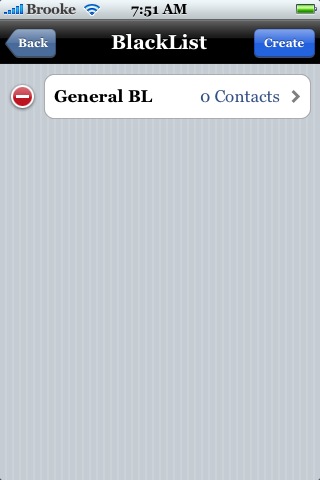
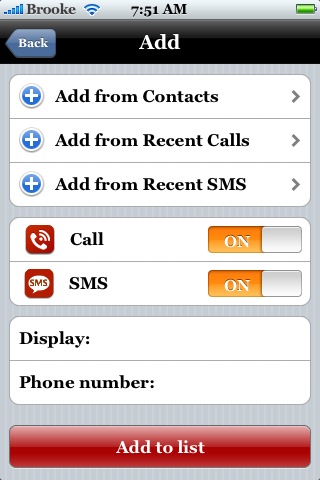
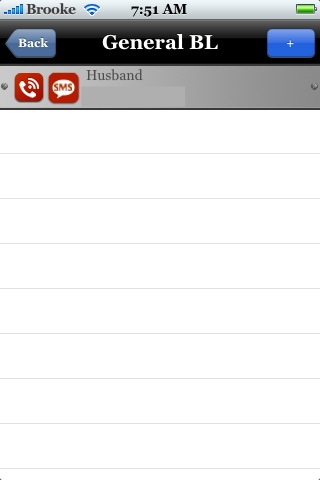
You will be brought back to the main menu screen. You will now want to set up your lists. To add a number to your BackList or WhiteList, just select it. Here you will get a default category titled General BL. You can delete that category and create your own if you would like. Next, you will want to select a category (either General BL or one you have created). The next screen is where all the numbers in that category will be listed…select the + icon in the upper right corner to add a number to the list. You can add a number from your Contacts, from your Recent Calls or from your Recent SMS. You can then choose if you want to block Calls, SMS or both from that number. You can also change the Display Name and Display Phone Number for that Contact. When you have everything the way you would like it, select Add to List. You will then see that number added to the list. You can add more numbers to the list by selecting the + icon again or you can go back to the main menu by selecting Back.

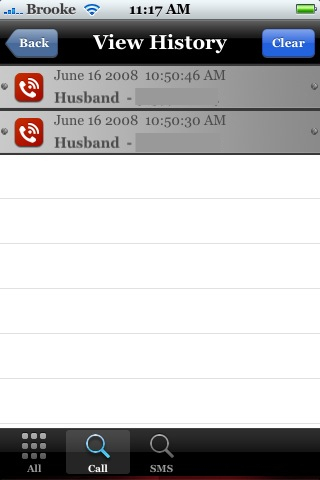
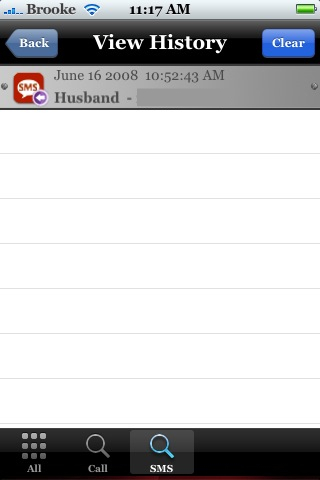
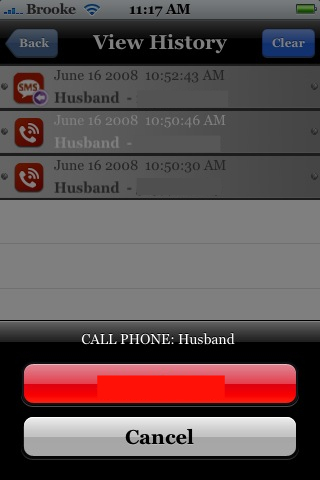
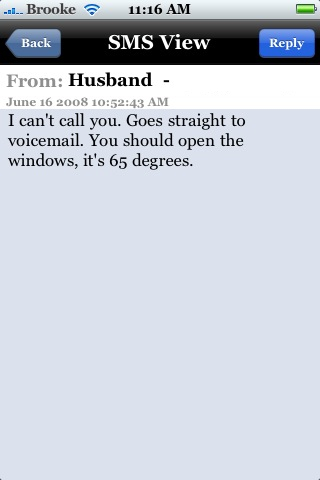
Back on the main menu, you can also view your Call History. The numbers you enter into your BlackList will not show up in your stock SMS application or Call History (if they leave a voicemail, it will go into your stock Voicemail) however, you can see them in the View History option in iBlackList. It will display the date, time, contact name and contact phone number. In the lower menu bar, you can also choose to see only missed Calls or only missed SMS. If you select a missed call on the list, you are given the option to call the number back. If you select a missed sms on the list, you are able to view the enter text message and then are given the option to reply.

Back on the main menu, you will notice an Active List option. This option allows you to choose which category list you would like active. It displays all the categories you have created in your BlackList and WhiteList. So, lets say you create a Family category in your WhiteList and you are about to go to a meeting or to bed at night, you can select your Family category and you will only receive calls from numbers in that category. Or, lets say you have a BlackList category titled Do Not Answer, you can select that category and filter only those calls.

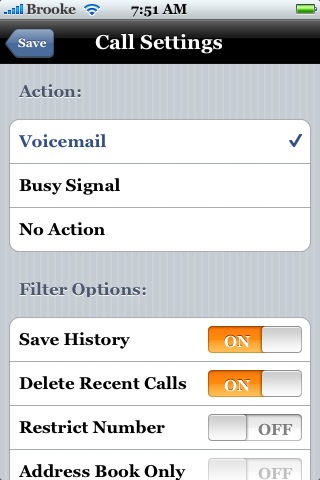
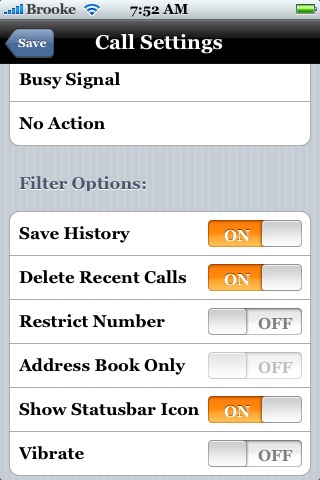
You are also able to choose from Call and SMS settings. In the Call Setting, you have the option to have Calls sent directly into your Voicemail, get a Busy Signal or No Action. The Busy Signal option will give the caller a quick busy signal and then the call will drop. The No Action option sounds will ring and then goes to your voicemail, like a normal call would (though, you do not hear it ring…it only sounds as if it is for the caller). I have tested all of these options and they all work correctly. The Call and SMS Setting also have the option to turn on/off Save History, Delete Recent Calls, Restrict Number, Address Book Only, Show Statusbar Icon and Vibrate.

Back on the main menu, you also have the option to turn on a Scheduler. This allows you to schedule categories to turn on/off at specific times during the day. So, if you do not want a call from anyone but family from 11:00pm until 7:00am, you can select the Family category and the set those times for each day.

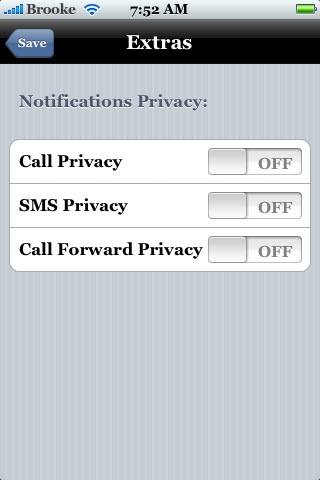
The Extras option allows you to turn on/off Call Privacy, SMS Privacy and Call Forwarding Privacy.
This is a very in depth application that has a ton of features. If you take the time to learn what everything does, it can be a very useful application. I only had a few random issues when using iBlackList and most of those were my own fault! To help avoid any issue, make sure you restart your iPhone (not just respring the SpringBoard) whenever you make changes in the application. Also, the free version of the application only allows two number in the BlackList and two numbers in the WhiteList. The full version costs $8.00 USD. iBlackList is available through the iClarified source.
Note: Don’t forget to Enable iBlackList – make sure to restart your iPhone.

 Loading...


 Loading ...
Good
Great app ! Doing a very good job of keeping an annoying female at bay !
i am using iblacklist the registered version 4.0-5. but i am facing a problem in the blacklist, it cannot filter the call and the SMS for the blacklist number.
note that before 2 weeks i was using the same version and it was working.
can anyone help me to solve this issue.
thanks
i wish there is something official and perfect . right now i use iblacklist for my jail break iphone , it has to be jail break to be able to use iblacklist . i DESPERATE FOR IBLACKLIST , CAUSE I HAVE THOUSANDS OF JERKS THAT I NEED TO IBLACKLIST , BUT any how …its the only good option for me at the moment . if you guys know something else better and official from apple , please email me mikeyoung1706@gmail.com thank a lot
so it will only block numbers when the app is turned on?
I have I phone 4 and I can’t find this application in the apps store. How can I download it?
http://www.appleiphoneschool.com/sources/
so you read at tne bottom of the dhe site just befor the repsonces it will tell you how and where
“The full version costs $8.00 USD. iBlackList is available through the iClarified source.”
and if if you click on the source you wil lget to the adres ihave given you.
So my tip to everyone so you dont look stupid is to read the full content or the important infromative parts in any app or anything you search on the net ! cuz in this case the answer you seek is just in front of your nose ^^ well GL and have fun now Bachir habr
Just wondering if u add a contact into the block list can u remove them when u are ready too?
Just wondering if u add a contact into the block list can u remove them?
Where can I download the iBlackList 1.9.1? I only got the iBlackList 5.2 trial version for 10 days from Cydia. Thanks in advance.
I do trust all the ideas you have offered in your post. They’re really convincing and will definitely work. Nonetheless, the posts are very brief for novices. May just you please lengthen them a bit from subsequent time? Thank you for the post.
i cant used it even restart my iphone,it didnt show the front page as mention
ok an update…after installing iblack to my iphone, my phone has been acting strange, very slow, call log problems, voice mall & incoming call problems, calls were going straight into my voice mail & other strange tech problems, went to my local cell service guys & they deleted iblack & now my iphone is back to normal, these problems occurred 1 day after i installed iblack…so not all phones react the same to certain software…I’m asking for a full refund…
Hi,I was using iblack list on my iPhone 4 perfectly , and the no action always was my favored option but when I bought the new iPhone 4s and I register the iblack list every thing was working perfectly but no action it’s not the same any more cuz when I choose no action it’s directly giving busy line and I’m facing problem with the callers (you know who’s the caller ;) ) do pls help me ASAP cuz I’m in reall danger ;(
Regards
hey i just wanted to find out that with this app does it mean anybody that calls you on private number even when the number is not on your phone book will iblacklist also stop random withheld numbers incoming plz could someone reply and if there is any other app let me no asap thanks
hi,i hav the problem using iblacklist on m iphone3gs, i had blk my another number to try,when i call the phone has to ring once before going to voicemail ,may i know wat is the problem?
How may i block all unknown incoming call
Please , please please help me
Hi,
Without iBlacklist app jailbreak is nothing. Yes we have feature in ios 7 but it not with many options like iBlacklist.
Please let me know is iBlacklist released to support ios 7?
Is it under development? When can we expect?
Thanks,
Ashok
Nice weblog here! Also your site rather a lot up fast!
What web host are you using? Can I am getting your affiliate link for your host?
I desire my site loaded up as fast as yours lol
Excellent website. Plenty of helpful information here.
I’m sending it to a few buddies ans also sharing in delicious.
And naturally, thanks on your sweat!
I do believe all of the ideas you’ve presented in your post.
They’re very convincing and can certainly work.
Still, the posts are too brief for beginners. May just you please extend them a little from next time?
Thank you for the post.
It’s genuinely very difficult in this full of activity life
to listen news on Television, therefore I just use internet
for that reason, and get the most up-to-date news.
Worthless because of you have an Iwatch from Apple everything will still show up there…numbers and calls that you supposedly blacklisted….