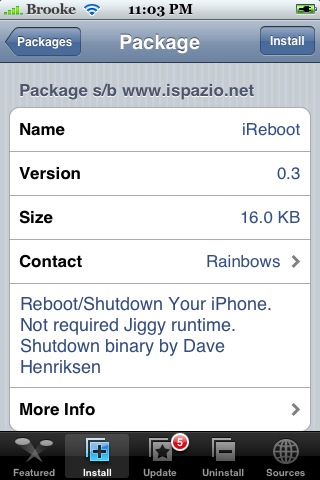
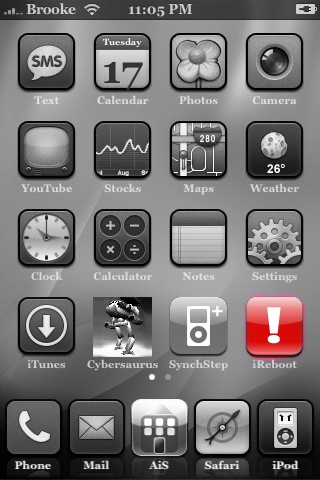
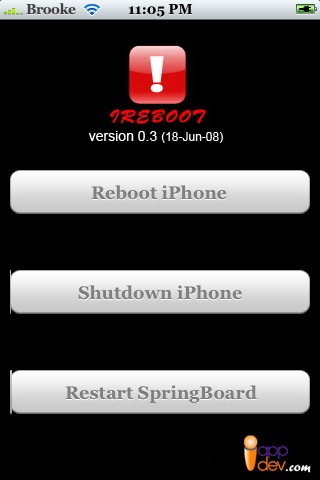
 iReboot allows you to choose to Reboot your iPhone, Shutdown your iPhone or Restart your iPhone. It basically combines Restart, Shutdown and Lock into one application. When you open the application, you will get a main menu with the three options; Reboot iPhone, Shutdown iPhone and Restart SpringBoard. Reboot will turn your iPhone off and then back on, Shutdown will turn your iPhone off but will not turn it back on and Restart will restart your SpringBoard (bringing to to the lock screen). All three options work properly. iReboot is avilable through the iSpazio source.
iReboot 0.3
June 17, 2008 by
 (No Ratings Yet)
 Loading...


 Loading ...
I’m glad this one works. I remember some other app that tried to do it but it never worked. this saves me some work and lessens my app count. hooray!
How does this lessen your app count?
its like the three apps Brooke listens all in one =p
i´ll give it a try ;-)
well, it works perfectly.
Thanks
Very nice!
It is now installed on my phone. Thanks!
This is a nice little program with a small install (16kb) which so far has not conflicted with any apps
tried the restart option on this program… phone went black, never came back! had to restore!! F**CK!!!
that kind of happened to me… when i restart, the white apple showed… then phone switched itself off, then white apple showed again (kind of in a loop)… in the end, i manually switched off the phone, and restart it… luckily my phone came back to life.
please report firmware that you are using.
and what’s method that u have used to unlock your iPhone?
Thanks.
Rainbows
ตามมาโพสชื่นชม
i like this app
thanks
How can I transfer the app to my iPhone?
Awesome man!!
My iphone restart button on top concked out and this is exactly the thing that I needed.
Thanks a ton dude!!
I have a unlocked 2G with 3.1.2 and i can’t get iReboot to work.
I just installed it via Cydia. But still after rebooting the iPhone it won’t work. Are there any Dependencies?
Powertool doesn’t work , too …
My Powerbutton is wreck , so i’m relying on those tools.
Any ideas, suggestions ?
Thnx
i can’t get it to work with my jb iphone 3g either. i open it and it just goes back to the springboard
Jailbroken & unlocked 1st gen iphone. I used ireboot when the battery was extremely low, it turned off the phone but never came back on. I plugged it into car charger and the pineapple logo appeared so I thought it would come back up and recharge. Checked it 2 hours later and it was off and wouldn’t come back on. My top power button is broken that’s why I got the ireboot app. I left it plugged into the wall charger all night and still nothing. Always before if the battery ran completely down I could plug it in and after a few mins it always booted up. What can I try?