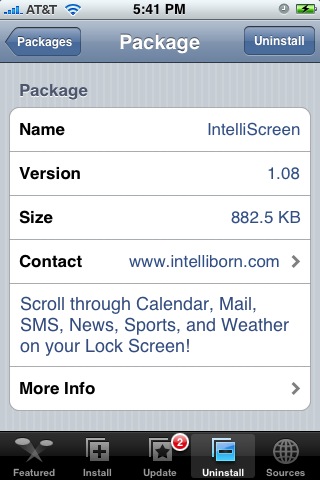
 The update to version 1.08 of IntelliScreen makes a few bugs changes (see list below). I am a huge fan of this application but, since they added IntelliDial…it has been driving me crazy! I normally press the Home Button to turn on my lock screen however, when I do, it now opens IntelliDial. Not only does IntelliDial take a few seconds to open, I then have to hit my Home Button again to get back to my lock screen so that I can slide to unlock. I wish there was a different way to get to IntelliDial or that it didn’t activate until your lock screen was awake. IntelliScreen is available through the Intelliborn source.
Bug Fixes for version 1.08:
•Detail Info on SMS Privacy and International Weather in Settings
•Mail and SMS overlaps when only if new when using first location
•Bottom of IntelliScreen too short

 Loading...


 Loading ...
I’m a registered user. One of my best buys 4 the iPhone. Programmer never stops surprising with new, great, imaginative functions he never promised. Stable, Great Graphics, 5*****
Totally agree !
You can make intellidial appear once the lock screen in on. Look into the options. You can also disable it
Thanks for the info! It would help of I could remember all the Settings!! :) I totally turned it off and it is sooo much better!!
Go into the intellidial options and disable one-click. This does exactly what you’re wanting. =]
Love this one and worth it… if only this works with Kate. been having problems with Kate since this was updated to 1.07 and paid for both… hoping these two works together soon
It can work with Kate I found a work around that is easy and fast. You only need to edit 3 words in: In your /System/Library/LaunchDaemons/com.apple.SpringBoard.pist, edit
/Library/Intelliborn/intelliScreen:/Library/MobileEnhancer/MobileEnhancer.dylib
Add what is bold, or everything from “:/LibraryMobileEnhancer” on.
Then the pref for Kate will appear in Settings.
RIP redirected settings so MobileEnhancer which is a new folder that Kate creates.
Hope this helps all.
Hi JW…
Sorry can you explain the workaround a little bit more. Opened them via SSH but can’t figure out what to edit where. THANKS!
k open: /System/Library/LaunchDaemons/com.apple.Springboard.pist
You should see: /Library/Intelliborn/intelliScreen
Change that line to:/Library/Intelliborn/intelliScreen:/Library/MobileEnhancer/MobileEnhancer.dylib
Restart, and enjoy
it s a lame apps now cause not freeware !
the 2 lines I posted got cut when I posted so add this to the ends…
Springboard.pist
MobileEnhancer.dylib
I purchased Kate but am affraid to enable Intelliscreen, but I updated Kate and it said its compatible with dock now, but is it now compatible with the new version of Intelliscreen, w/o me having to ssh into it?