 |
Available In: Cydia |  |
Price: Free |
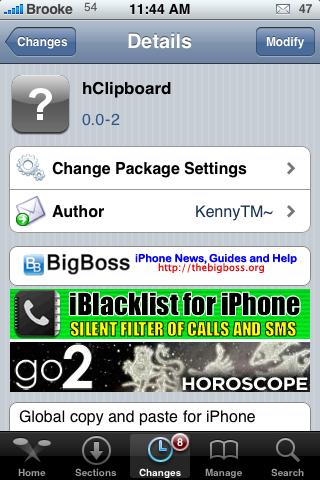
 I wrote, a few days ago, that we would soon be seeing a new copy and paste application. It was actually released the next day! Well, I have finally had a chance to check it and so far, I like it.
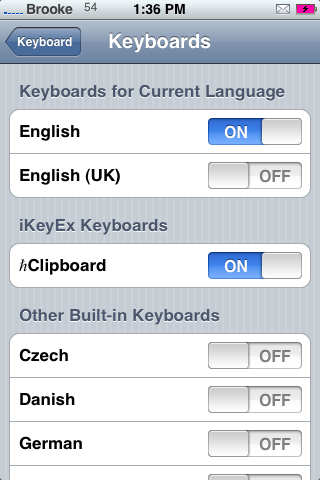
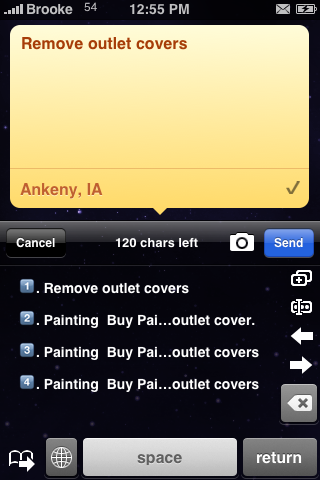
When you install hClipboard, you will first need to enable it in your Settings. To do so, go into your stock Settings application, General, Keyboard, International Keyboards and then turn on hClipboard. Now, in order to use the application you will need to be in an app that uses the keyboard…for example Notes. To enable hClipboard, select the Globe icon on your Keyboard. You will now see the hClipboard keyboard.
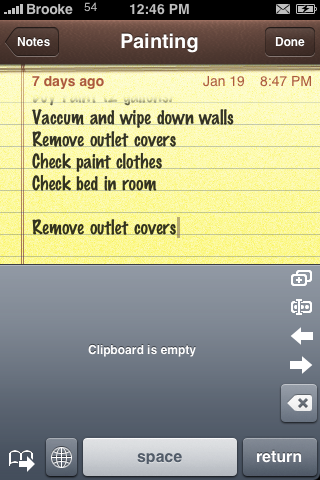
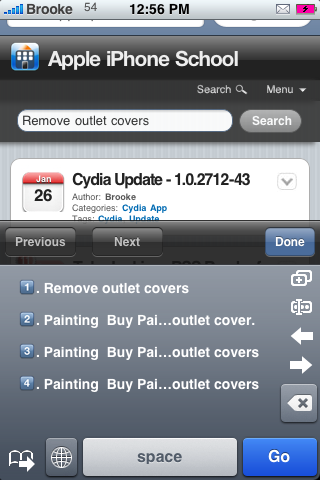
The first time you open the keyboard, the Clipboard will be empty and you will see five icon on the right side of the keyboard. The top icon is a quick copy button which will copy all the text on the page and add it to the Clipboard. The second icon allows you to choose specific text in which to copy. Just put your cursor where you would like to begin coping the text from (on your iPhone of iPod Touch’s screen) and select the second icon. Then move your cursor to where you would like to end coping the text and select the second icon again. The selected text will then be added to the clipboard. The arrow icons will jump you to the beginning and end of the text on the current page. The last icon, the x icon, allows you to delete text without going back to your main keyboard.
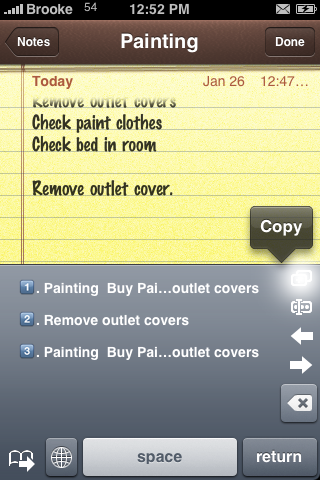
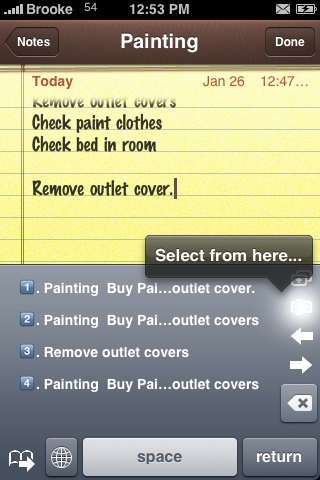
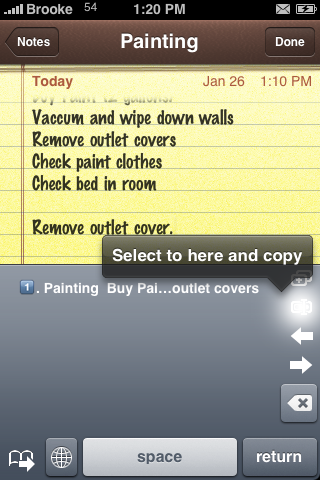
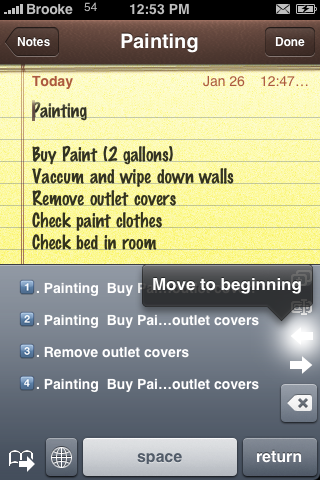
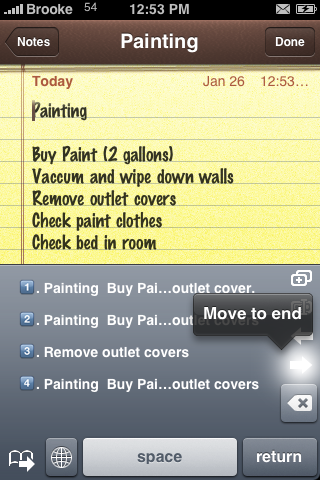
You will also notice a page icon next to the globe at the bottom of the keyboard, if selected, it will bring you to a list of “templates” you have created. Just tap it again to get back to the clipboard. The clipboard will hold your last 10 copies. If you switch over to templates, you can save a much larger amount of copies. So, if you are looking to hold onto something long term, you will want to copy in your templates section and not your clipboard. To delete a copy from your clipboard or template, just swipe on it and select Delete. The Globe icon will bring you back to your normal keyboard.
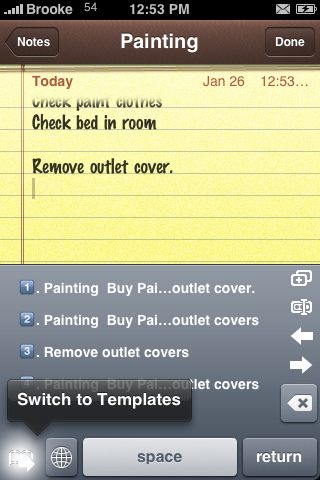
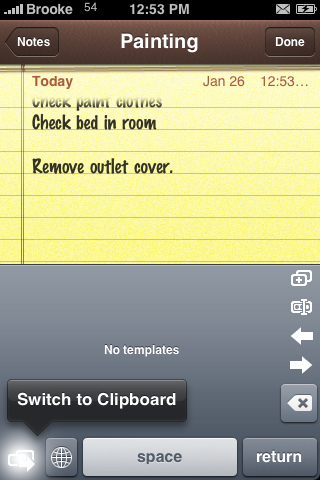
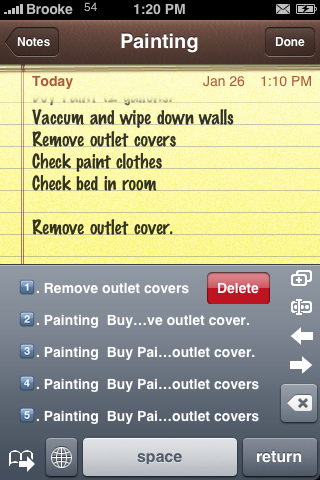
Once you have some copied text in your clipboard (or template), you can go into pretty much any application and paste the text. You do so by tapping on the text in the clipboard that you would like to paste…very simple and very easy! Unlike Clippy Beta, this copy and paste method works basically anywhere in which you can use the keyboard…Twitter clients, App Store, Email, SMS, Web Searches…etc.
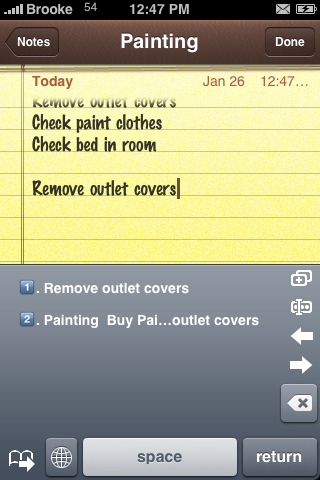
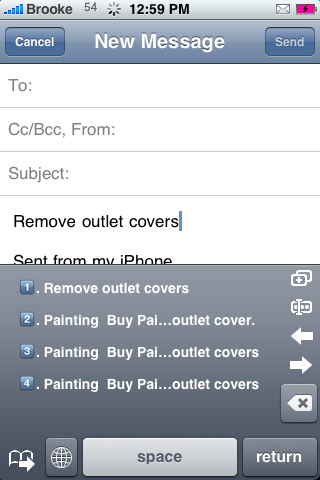
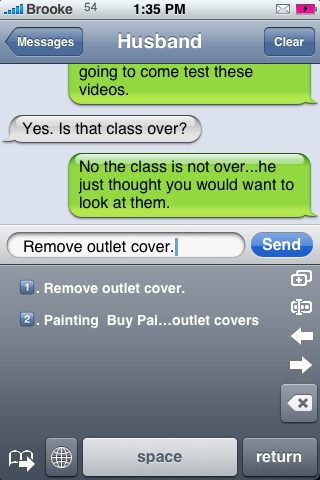
I found it to be very user friendly and well built. It worked in every application that I tested it in. I love that it keeps a record of your past 10 copies…and even copies from further back if saved in your templates! Overall, this is a very nice application…the best copy and paste app so far.
If you would like more info on how the app works…check out it’s Google Code page. You can also learn how to copy text from inside Safari by using their guide HERE.
Below are a few known issues with the hClipboard:
• Templates may disappear on some iPhones [issue 12]. We are currently working on the cause of it. Please report if you see this.
• iKeyEx is disabled when IntelliScreen is installed [issue 16].
• Some applications use a text field to intercept keyboard input instead of actual displaying. ℏClipboard can never copy on these applications. Examples include:
* MobileTerminal
* VNC clients, e.g. Jaadu VNC (Jaadu VNC does not even support pasting).
* “Enhanced” text editors, e.g. WritePad (MagicPad, on the other hand, works nicely with ℏClipboard.)
• Some texts are read-only, so no clipboards will be displayed. You can’t copy any text from it using keyboard-based clipboard solutions. Examples include:
* Received text in MobileSMS, iRealSMS, etc.
* Received mails in MobileMail — click Reply to show the keyboard.
* Web contents — In a browser (MobileSafari, myFox, etc.) you may want to use these bookmarklets to workaround it.
* PDF, Word Documents, etc.

 Loading...


 Loading ...
nice tutorial ;) and description
Best Copypasta app!
OUTSTANDING!!!
Thanks
hey thanx fr d review
really love it, i’m using it more than i thought i would!! (wish there was an SBSettings Toggle-hint…hint).
That’s it, I’m upgradin’ my iPhone firmware from 1.14 on Friday!
when i open up the the page to download in from cydia, it reads: “Cannot Comlply Note: the request modifcations cannot be applied due to required dependeices or conflicts that cannot be automatically found or fixed”
im on a 2g firmware 2.1 anybody come across this message?
help me folks
i have the same issue, have you found a solution?
Looks like this is a 2.2 firmware app only (see More Info inside Cydia).
yea i found out that this install is for only 2.2 users. if you cant find it in cydia try uninstalling STE source, then re add it again and it will come up
so is clippy better or hclipboard?
hclipboard has much more options
clippy is simple copy this paste it there thats it nothing more. quick simple easy hclipboard way more options!
For some reason hclipboard does not show under my settings app. I am looking in the right spot too. I tried reinstalling it 3 times. I think it might be conflicting with another app I have installed. Does anyone else have this problem?
You probably use intelliscreen. You have to go into intelliscreen’s performance thingie and enable the two new things that appeared there.
I have a problem with size – every time I try installing, it gives me the error “size mismatch” and doesn’t install the app. Anyone has similar issues? and suggestions for fixes? conflicts with other apps? I had installed the clippy beta but removed it prior to attempting installation of this one.
hmm after updaing Cydia it worked fine.
You can use hClipboard with iRealSMS, to copy texts received go to Inbox>Received Text> and then click the second button from the left. You can then use hClipboard to copy the received text message.
Hope this helps.
It doesn’t seem to work in password fields, because I am not able to select it as keyboard there. (Only standard keyboards, no emoticons or Math symbols either)
Is there a workaround for this?
Currently, I just paste the password in the username field and type it in manually.
I’ve been using Clippy for a few days and it worked great, but didn’t seem to work with Twinkle last 2 times. It is there, but it won’t allow me to select anything. They did put out 2 updates in the last 2 days. The latest one added the clipboard….which looks great, but Clippy no longer works. I’ve installed hClipboard and it seems to work a little more reliably…even in Twinkle. think I’ll be sticking with hClipboard for now…leaving both installed though.
I found MY problem with using Clippy
You need to Double tap…after second tap, keep your finger down and begin dragging your finger in order to select specific text.
So…now we have TWO copy and paste functionalities for APPLE to choose from. Will they hurry up and pay one of these guys for doing THEIR job for them and steal their development and include Copy Paste functionality already.
Wonderng how many items will stack up in the clipboard?
I have both apps running and will be testing to see the need for either. I do like the clipboard advantage in hClipboard but found that when writing regulare text or messages the auto correct goes bonkers. I know this wont matter for some but I found that the whole typing experience has been thrown off. Sooooo I tried switching the hClipboard off and BAM !! back to normal.
Has anyone else experienced this?
Wow, get the new clippy, it KILLS this one
Yeah the new clippy is sweeeeeeet.
Yeah man, I don’t think they could make it any better than the new Clippy
When are you guys going to make a review for this?
Ohhhh yea !! Just tried the new clippy and I agree….its waaaay better.
Seeee ya hClipboard…..hello Clippy
So…now we have TWO copy and paste functionalities for APPLE to choose from. Will they hurry up and pay one of these guys for doing THEIR job for them and steal their development and include Copy Paste functionality already.
Finally got it to install. Very nice. Better than Clippy. It would be better if the text selection is highlighted as in Clippy. Easier to see.
has anyone noticed if either clippy or hclipboard has been causing some battery drain? Seems like mine is draining quicker and i’m not even using hclipboard, its just installed…is this even possible?
LOL! I thought my battery was going down faster too. I figured I was just using my iPhone more to actually accomplish some real work.
When I open cydia and search for hclipboard its not there, What is the source for it or am i doing something wrong.
Hi guys i have the same problem of “size mismatch” everytime i try to install it can anyone help
riaztu@yahoo.com
Hi,
Can’t get it to install!!! Try 3 times, intallation goes fine but no hClipboard available in the Keyboard seetings window.
Any help, I really would like to use this app.
Thanks,
Question, any idea when
iKeyEx is disabled when IntelliScreen is installed [issue 16] will be fixed?
Thanks
Ps. great WORK!
Hi…
In settings I see Default Editing.
What does this do?
And Brooke… Whats the black app you made a screenshot of in this thread?
The last icon, the x icon, allows you to delete text without going back to your main keyboard. I don’t have the x icon. Anyone know why?
Can’t seem to be able to copy phone #s off of phone fields in Contacts (b/c there is no way to bring up the regular keyboard, just the typical iPhone numer pad), hence I can’t access the app. PLEASE HELP ( I used to be able do this w/ Clippy no sweat b/c the number pad DOES have a 123 key, but Clippy made my iPhone real slow ) PLEASE HELP PLEASE HELP
Does NOT seem to be 3.0 compatible….I can’t live without my STACK….the copy and paste in 3.0 is nice, but the stack is what was AWESOME!!!
Wanna know if hclipboard works with 3g os 3.0. If yes then how? Thxxx
Please bring back the hClipboard to OS 3.0..I miss the template stacks a lot.
Thanx