Ok guys, here is the deal…I’m going to do my best to explain this application however, I have to admit that about half of it means absolutely nothing to me! :) So, I will keep it brief and give you some screenshots (hopefully I don’t leave any info that I shouldn’t in the screenshots!!).
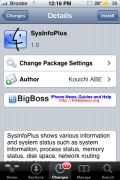
Here we go, SysInfoPlus is basically an application that gives you probably every piece of information available to give about your iPhone or iPod Touch. When you open the app you will see five options on the lower menu bar; System, Process, Memory, Disk and Network.
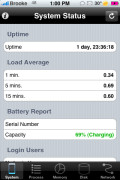
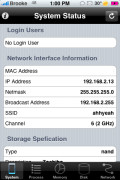
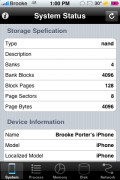
In the System option, you will find a ton of system information. Everything from Load Average to Battery Info to Network Interface Info to Storage Specs to Device Info to Kernel Info to Hardware Info. I mean seriously…like everything you could ever want to know!
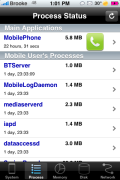
The Process option will give you a list of all your iPhone processes (main apps, mobile user processes and other processes). If you select one, you will get even more information about the process and the ability to stop the process.
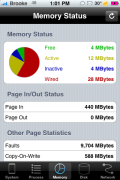
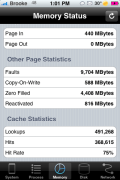
The Memory option will give you some nice memory stats. This includes how many MB of Free, Active, Inactive and Wired memory you have.
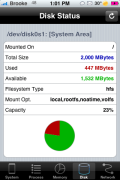
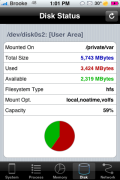
The Disk option will give you info about both the System Area and the User Area…including how many MB you are using and that are available for both areas (interesting info!).
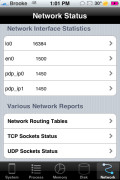
The Network option give you Network Interface stats and Various Network reports.
If you are totally into knowing EVERYTHING about your iPhone then this is most defiantly an app for you. I personally will only use a few aspects of this app (Process, Memory and Disk info) but, even then…it does a nice job of laying out the info in a user friendly interface.


 Loading...


 Loading ...
nice info
Can you tell me when ibluetooth is coming out and the good mms the send and receive app i seem it posted they where testing it or in a different country ?
thanks
There was an older app like this one that also told you when you were charging the voltage or mil amps. I’d like that added as some aftermarket chargers over charge your device. I believe the outlets in my cube at work has bad voltage. Please add this feature.
Brooke didn’t write the program, so she’s not going to add features to it.
Can you tell me which theme is that on your iPhone?? it’s really cool!!
Under “Memory Status” in “Other Page Statistics” in there you will find “Faults”. Does someone know waht this means?