 |
Available In: Cydia |  |
Price: Free |
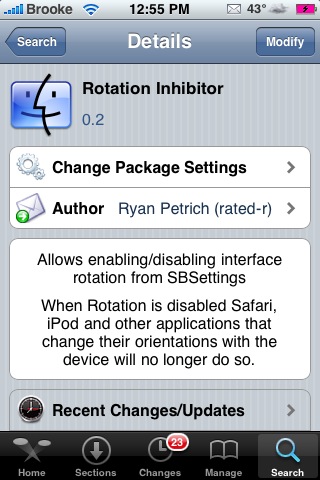
 Yesterday, there was an update to Rotation Inhibitor (a SBSetting toggle that allows you to turn off the auto-rotate feature). I was impressed with how quickly the app was updated and I personally love the what the update does! With the previous version of Rotation Inhibitor, you used to have to toggle the feature within each application that you didn’t want to auto-rotate. With the update, you can turn off the Rotation Inhibitor while on your SpringBoard (or while in any application) and it will turn off the auto-rotate for all applications! Very nice!
I did find that when I updated the app, it removed my WinterBoard mods. However, the developer says that you can respring your iPhone or iPod Touch and they will all come back. I just went into WinterBoard and unchecked and rechecked my theme and everything came back with no problem. Let me know in the comments if you like the update and if the app is working correctly for you.

 Loading...


 Loading ...
I like this update it is working good for me, up to now. I love being able to lie in bed without Safari keep spinning round :P
i had the same problem with my winterboard mods, but i just uninstalled an reinstalled the Rotation Inhibitor and it solved the problem too :P
i realy like this toggle, verry handy!
,Pioneer
The update did not work for me. Every time I tried to turn it on, it did, but immediately changed again to off and I could not rotate the pages. I think I did not restarted the phone
I uninstalled it. Maybe I try it sometime in the future
I think if you would have restarted your iPhone, it would have fixed the problem. Because, now that you mention it, mine did that too. A restart fixed mine.
Yeah I lost all my mods from Winterboard too, but I had to reboot my iPod (a respring didn’t restore the theme) but overall, this feature is extremely useful. Thanks for the review guys.
i found you can combat the rotation by holding the phone upside down, i.e. with the sleep/wake button pointing down b/c the accelerometer doesnt work upside in safari, so the phone is now vertical which is what you want, but displays a horizontal image which is what you need.
I found that too, but isn’t it more comfortable to just use this toggle? Keep your iPhone in any position you want without it turning around..
Well with this app my themes stopped working and it also didn;t worked :P So i uninstalled it untill a later version…
THIS CONFLICTS WITH SKYPE APP.
Guzell hemde cok