 |
Available In: Cydia |  |
Price: Free |
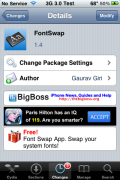
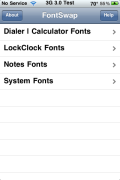
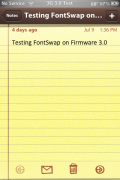
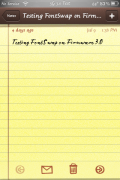
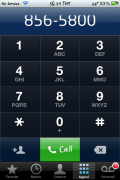
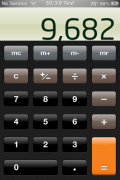
 FontSwap has been updated to version 1.4 and it now works on firmware 3.0. When I tested it, I was able to change the Dialer/Calculator, LockClock, Note and System fonts and then change them back to the default font (using the app) with no problem.
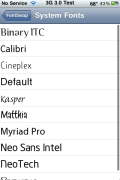
The only thing that has change with the app is that it now changes the Calculator font (which it did not used to do). Other than that, you still open the app, choose a category and pick from a list of the previewed fonts. You can get FontSwap via the BigBoss source.
Remember, you can install additional fonts via Cydia. Just search for FontSwap.
Note: After further testing, I found that when you change your fonts back to default it messes up the alignment of the badge numbers, clock in status bar and other areas. Uninstalling it does not fix the problem. Hopefully we will see an update to fix this issues. I would suggest holding off on installing this app until we see another update.

 Loading...


 Loading ...
but why is the dialer lettering like that, i dont think i could deal with it.
By the way, have you not noticed how the clock on the homescreen is positioned slightly higher than it normally is. I don’t think these fonts are properly ported for 3.0. They might have been for 2.0 but not 3.0. Let me know on this
I agree.
I’m going to continue to change mine manually. I don’t like the clock font or the dialer font positioning.
Crap, I have already installed this and it indeed jacks up your badge notifications. Even after I delete the app, the number is slight higher than it should be. I guess I will be restoring later today.
I dunno. Everything seems to be working fine for me. I like it :)
hahaha ilove this app :)
Doesn’t work at all. I click fonts to install them and nothing happens, no popup.
I have noticed that the alignment of badge numbers and the font (Myriad Pro) in general is slightly higher than normal. With badge numbers it is not “center” in the bubble. Hopefully they can fix this in the next go-round!!
Are there plans to include a colour change with fontswap?
Outside of fontswap there was a way of changing the LockClock and Date fount and colour with V2.2 but this method no longer works for V3.0 without messing up the Lockscreen wallpaper.
Hi,
FontSwap is working fine.. the alignment problems are due to an uncorrect/missing porting of a font from 2.0 to 3.0
The ‘default fonts’ released at the moment by FontSwap are the fonts for OS 2.0; in order to restore the OS 3.0 default fonts we released a Cydia package.. you can find more info at
http://iphoneruler.blogspot.com/2009/07/new-fontswap-version-released.html
By the way, the calculator font setting is not a new feature: Apple used and uses the same file for both applications (dialer/calculator) ;-)
Bye!
i am running fontswap version 1.5, and i use Neo font for system, however, the font is shifted up a bit for stopwatch.
hope the developer can fix this soon.
okay, so i have fontswap but when i go to change the system fonts, it doesn’t work. but everything else does? i have ipod touch version 3.1.3
someone help. please i hate the font that it automatically set itself to, help!
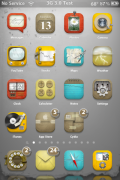
What theme is that in image 6, with the rotary phone icon??