 |
Available In: Cydia |  |
Price: Free |
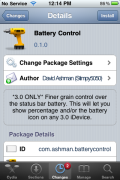
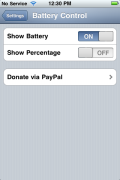
 Battery Control is a simple application that allows you to turn on/off the Statusbar battery icon and the Statusbar battery percentage. Once the app is installed, it is added as an option in the stock Settings application. The app gives you two options, turn on/off Show Battery and turn on/off Show Percentage.
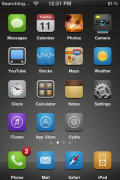
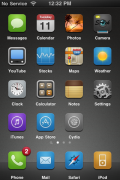
A simple application but, I think one of the only that allows you to turn off the battery icon and still leave the battery percentage. Doug like that he can turn off the battery icon and have some additional space on his statusbar. You can get Battery Control via modmyi source.

 Loading...


 Loading ...
I’m definitely going to turn off the battery icon to free up some space on the status bar.
Extremely handy. The more space in the statusbar for other icons the better. :)
Thanks for including the screenshot where it says this is only for 3.0. Now I don’t have to worry if it’ll work on my 2.2. I wish all Cydia apps would say what they are compatible with!
Sweet!
Thanks, been looking for something that will give me a percentage indication! :D