 |
Available In: Cydia |  |
Price: Free |
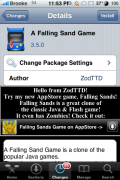
 Yes, that is right…the title of the application is A Falling Sand Game (which for some reason I find funny! :)) This port is brought to us by ZodTTD…who also brought us psx4iphone, quake4iphone, genesis4iPhone, snes4iphone…etc. A Falling Sand Game is similar to EvolutionRGB (one of Doug’s absolute favorite games!) which we had in firmware 1.1.4.
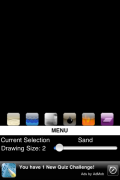
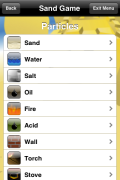
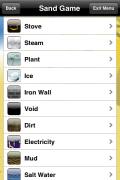
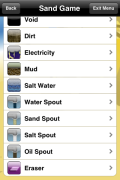
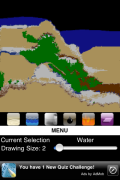
So, like EvolutionRGB, the object of the “game” is to manipulate the environment. When the app opens, you can begin by selecting Let The Sand Fall. This will bring you to the main play screen where you see a few options. The little icons represent particles…such as, water, fire, sand, oil, plant, dirt…etc. Each particle responds differently with the rest for example, fire burns plants but water puts out fire. Once you select a particle, just drag your finger on the screen to drag that particle. You can also adjust the size of the particle using the slider bar.
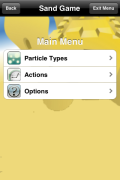
Below the icons, you will see a Menu option. Here you are able to select particle types. When you select them, they are added to the main play screen however, only the most recent six will display on the play screen. So, when you select one it will add the icon to the right and remove the icon farthest to the left on the play screen.
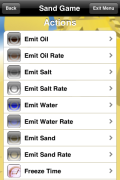
In the menu you also are able to choose from a list of Actions. These include things like, Emit Oil, Emit Water, Freeze Time, Clear Screen…etc. When you select an action, it will cause that action to take place on your play screen. Any “Emit” actions will cause that particle to constantly flow from the top of the screen. If you select Emit Salt, it will begin a constant stream of salt falling from the top of the screen. To stop the Emit action, you have to go back into the Menu and turn it off.
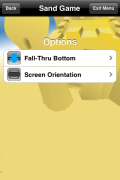
The final option in the Menu is Options which allows you to choose to have a fall-thru bottom on your play screen and to change your play screen to portrait or landscape.
Overall, this app is not EvolutionRGB…but, ZodTTD did develop this app by hand…which I totally give him props for!! If you are into these type of games…it is definitely worth checking out! You can get it via the ZodTTD source.



 Loading...


 Loading ...
they also released another game transport tycoon havent been able to get it past load screen..but i just noticed an update for it so hopefully this fixes it..
This transport thing crashed during install and created an icon called cracked… how do I fix that?
I loved EvolutionRGB! I used to play it all of the time.
I was really upset to see that it was never ported to 2.0. :(
I’ll try this out and see how it compares.
Heya Guys, sorry for being off topic, but I thought I would tip you off on the new customize out for the new firmware.It will be available in Cydia soon, but if you cant wait you can download it from – http://customizeapp.com/uploads/release/Customize-2.2.1.zip – and SSH it onto your iPod or iPhone. Check out the website and refresh your sources to see more updates.
Hope this helps.
Ed
O sorry, false alarm ):
I must have read some wrong info!
Ed
Downloaded it but when it won’t go past a loading a yellow screen, goes back to the springboard after a second or so.
Anyone else have this problem?? :(
Yep, getting quite annoying… :(
Yeah, me too. So I removed it. I wanted it to work so badly…
Is it not “EvolutionRBG” not RevolutionRBG?
Sorry about the grammar there ^ I’m too tired :p
That’s wrong too, it is EvolutionRGB not EvolutionRBG
Thanks for the correction…I’m not sure why I kept writting RevolutionRGB…I fixed it!
You can get this game without jalbreaking your iPhone in the app store it’s called falling sands by zodTTD
thanks for the heads up!
I’m at the office right now so I can’t check it, is it free?
there is a lite version
For those who had this crash, the solution I was given by ZodTTD is to make sure you have a /var/mobile/Documents folder on your iPhone, and that it’s permissions are set to 777 (chmod). This was crashing every time I tried to open it, as was Wolf3D released recently by Zod, and fixing the permissions for this folder made them work.
777 permission is not required. Just change Documents folder ownership to mobile:mobile