psx4iphone v1.0.0 Coming to Cydia
July 5, 2009 by Brooke
Filed under Cydia, Games, ZodTTD, psx4iphone
| Available In: Cydia | Price: Free or Donation |
Well guys, it’s finally here. Now that the iPhone 3GS is jailbreakable, ZodTTD has released version 1.0.0 of psx4iphone. I don’t see it in Cydia yet, but I’m sure it will show up soon. We will let you know when we see it. Make sure you have the ZodTTD source installed. Below is what ZodTTD has to say about the release (you will want to read it).
Note: This app will not show up as a new/updated app. However, if you search for it in Cydia, it will be there. Instructions are included in the package description. For more info, read below. Read more
psx4iphone, PlayStation Emulator, on the iPhone 3GS
June 24, 2009 by Brooke
Filed under ZodTTD, psx4iphone, video
Well, ZodTTD is at it again. He has got psx4iphone, a PlayStation emulator, running on an iPhone 3GS and says that it is pretty sweet.
“I now have psx4iphone running very speedy on the 3GS. It’s at the point where Final Fantasy 7 is fullspeed at very least without sound. The build is rough around the edges, as you can’t switch games without restarting the emulator, and only memory card saves are currently working, no save states just yet. Both these issues are being worked on.”
Below is a video demo of psx4iphone running on an iPhone 3GS.
Read more
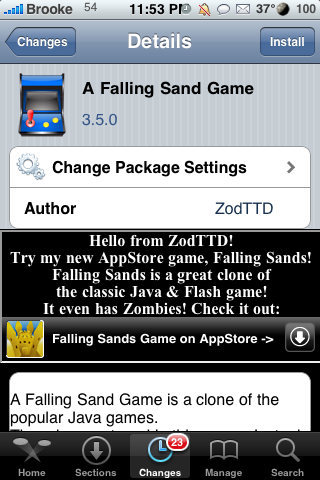
A Falling Sand Game
March 20, 2009 by Brooke
Filed under A Falling Sand Game, Cydia, Games, ZodTTD
| Available In: Cydia | Price: Free |
Yes, that is right…the title of the application is A Falling Sand Game (which for some reason I find funny!
) This port is brought to us by ZodTTD…who also brought us psx4iphone, quake4iphone, genesis4iPhone, snes4iphone…etc. A Falling Sand Game is similar to EvolutionRGB (one of Doug’s absolute favorite games!) which we had in firmware 1.1.4.
So, like EvolutionRGB, the object of the “game” is to manipulate the environment. When the app opens, you can begin by selecting Let The Sand Fall. This will bring you to the main play screen where you see a few options. The little icons represent particles…such as, water, fire, sand, oil, plant, dirt…etc. Each particle responds differently with the rest for example, fire burns plants but water puts out fire. Once you select a particle, just drag your finger on the screen to drag that particle. You can also adjust the size of the particle using the slider bar. Read more