 |
Available In: Cydia |  |
Price: Free |
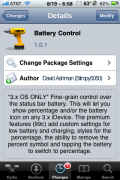
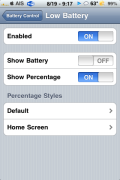
 Battery Control, an application that allows you to control your Status bar battery image and percentage, was updated. I actually haven’t reviewed this app since it was first released so, I thought I would catch it up since it has had some pretty cool updates.
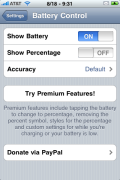
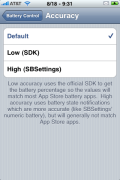
When the app was first released, it was pretty basic, it only contained a few features… the ability to turn on/off Show Battery and turn on/off Show Percentage. Since then, an Accuracy feature has been added that allows you to choose if you want the accuracy of your battery percentage to be based on the official SDK or based on more accurate battery percentages like SBSettings numeric battery or the default setting.
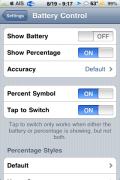
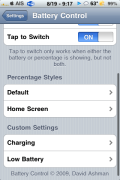
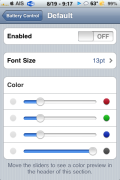
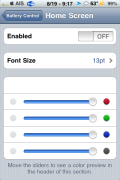
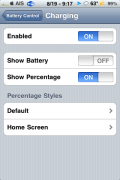
It app also has a Premium version that can be purchased for $0.99. The Premium version has a lot more features including; tapping the battery to switch between the percentage and the battery image, custom battery percentage options, custom low battery and charging battery image options and the ability to remove the percent symbol (leaving just the percentage number).
For $0.99, you get quite a few cool options. The custom options also allow the ability to change the font size and color of the battery percentage, low battery and charging battery images. Check out the screenshots below. You can get Battery Control via the modmyi source.

 Loading...


 Loading ...
looks sweet… gonna try it.
If you also use Weather Icon and you switch both “Show Battery” and “Show Percentage” off. Then the Weather Icon information on status bar are disappeared. One of the switches must set to “ON” for the Weather Icon to display on the status bar.
This is fixed in the newest version of WeatherIcon that should be released on ModMyI today.
In the screenshot I can see the temperature in the status bar. Which can do this?
I installed it and it crashed and made me go into safe mode. The only way I could get out of it was to uninstall the app.
What OS and device are you running it on? Do you have syslogd installed from Cydia? If so, send your /var/log/syslog file to dashman_at_gmail_dot_com.
I am running 3.0 and no sorry I don’t have syslog. Any other way I can get it?
Crashed my phone too. Safe mode. Has a conflict with Rock Extentions. Had to remove Rock and Intelliscreen. Can anyone make the old battery tap percentage worh with intellescreen. That would be perfect. thanks.
i installed battery control and it works great. the only issue that i have is the sudden appearance of a blue pyramid with an exclamation point in the center of the pyramid. this pyramid only shows itself when the itouch has been charging and there has been no activity with the itouch. please let me know if this is an icon that works with battery control or if it is not related at all. thank you.