 |
Available In: Cydia |  |
Price: $1.49 |
 Recent/CallLog Delete, an application that allows you to delete individual calls from your call history, has been updated to version 1.1. The major feature of the update is that it now fully supports the 3.1 firmware. The update also adds an information button, giving you basic info about the app, when in Edit mode in the call history. Check out the screenshots below for full change log. You can get Recent/CallLog Delete vai the BigBoss source. [Read more…]


 Ok,
Ok, 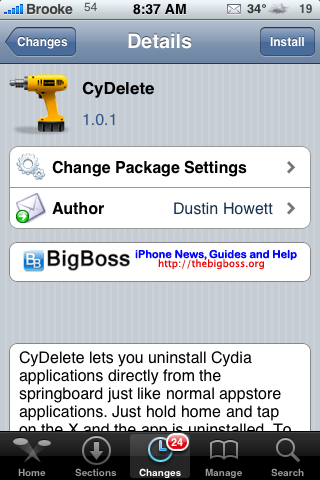
 CyDelete is an application that allows you to delete Cydia application right from your SpringBoard….just like you would an App Store application. To use the applicaiton, just tap and hold your icons until they start wiggling and then click on the X in the corner of any Cydia application. It will then look up the application and give you a pop-up asking if you would like to delete the app. If you select Delete, it will then say uninstalling and voilà…it uninstalls! Personally, I like this mod…it is so much faster than going into Cydia, finding the application, clicking on it, selecting modify, selecting remove, selecting confirm and then waiting for the app to uninstall! You actually used to be able to do this same thing using
 Clear SMS is a simple application that allows you to delete all your Texts with one tap. When you install Clear SMS, it will add an icon to your SpringBoard. When you tap on the icon you will get a splashscreen while it deletes all your texts. As convenient as a one-touch solution is…I think it might be nice to have a pop-up on this type of application where you can select yes/no just in case you bump the application…you don’t want it to accidentally delete all your texts!! So, it might even be an application


 Loading ...