As I mentioned yesterday, the Dev-Team had informed us that i0n1c had a 4.3 untethered jailbreak ready for when the new iOS was released. Today, i0n1c posted a video demo of the iOS 4.3 untethered jailbreak. There has been no word from the Dev-Team on when the jailbreak will be available. For now, it is being labeled an “alpha” release. Below is the demo video done on an iPad running iOS 4.3.
[Read more…]
iOS 4.3 Untethered Jailbreak [Video]
March 10, 2011 by
Update on an Untethered Jailbreak
December 22, 2010 by
It seems the Dev-Team is getting closer to having an untethered jailbreak. When the Dev-Team found the untethered jailbreak they dubbed it the “backup plan.” (It’s a “backup plan” because comex is working on a more extensible one, but this method is also generalizable.) Yesterday Musclenerd tweeted, “… the backup plan for those w/legit access to 4.2b3 IPSW is about ready…again though, better to wait for comex.” He also said that;
“Thanks to comex, redsn0w can now handle much bigger files than ramdisk 25MB limit. Useful for “backup plan” 4.2 untether”
“This latest @comex code also allows retrieval of photos+files stuck behind an unfixable filesystem problem…good stuff!”
[Read more…]
Dev-Team Finds Untethered Jailbreak for iOS 4.2.1 [video]
December 8, 2010 by
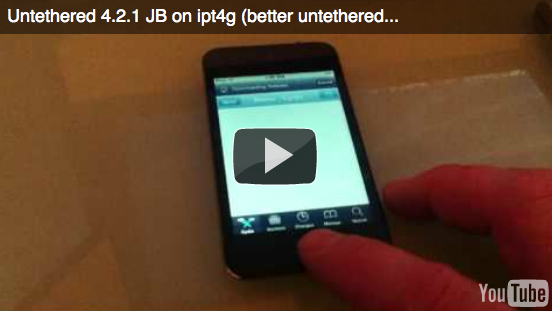
MuscleNerd, a member of the Dev-Team, recently tweeted that they have untethered the jailbreak for iOS 4.2.1. The jailbreak will cover all devices. There is no info about a release date but we will keep our eyes open! I can’t wait! Below is a demo video and what MuscleNerd has to say about it.
Got “backup plan” for untethered 4.2.1 JB working (video coming up). Uses mysterious 4.2b3 hashes Cydia kept for you. (It’s a “backup plan” because comex is working on a more extensible one, but this method is also generalizable)
Dev-Team – Losing GPS Functionality When Unlocking 06.15.00 Baseband
December 1, 2010 by
The Dev-Team has added another update to their blog post about the ultrasn0w unlock for iOS 4.2.1. The update talks about an issue with retaining GPS when unlocking iPhones with 06.15.00 baseband. It seems that some people on 06.15.00 are losing their GPS functionality when they unlock their device. The Dev-Team does not currently have a fix for this problem and says that, even though the problem does not occur for everyone, you should just assume you will lose GPS capabilities when ulocking 06.15.00. However, they are working on a fix for the problem. Check out the full details below.
[Read more…]
Dev-Team Releases PwnageTool for iPhone 3GS
November 29, 2010 by
The Dev-Team has made a few more updates to their post announcing the redsn0w unlock for iOS 4.2.1. One of the updates includes an unofficial PwnageTool bundle for the iPhone 3GS. This update is specifically for people with the iPhone 3GS who would like to upgrade to iOS 4.2.1 but want to keep their current baseband.
Update #3: For those Mac users with an old-bootrom 3GS who really know what they’re doing, here’s a minimal 3GS 4.2.1 bundle that will get you to 4.2.1 without updating your baseband. Be sure to uncheck “Activate the iPhone” using Expert mode. To actually jailbreak after you’ve restored with the help of that bundle, please use redsn0w. If you don’t know how to drop a bundle into PwnageTool.app, please hold off on 4.2.1 until it’s untethered for everyone
See the Dev-Team’s full post HERE.
Dev-Team Releases New Version of redsn0w
November 28, 2010 by
The Dev-Team has updated redsn0w to version 0.9.6beta5 for unlockers. Below is all the info.
Update #2: The new redsn0w 0.9.6beta5 is out. It gives both Windows and OSX users the ability to flash the iPad 06.15 baseband on iPhone3G or iPhone3GS. It fetches the baseband files directly from Apple for now (the only IPSW you ever point it at is the stock IPSW for the FW on your iPhone right now). There may be a long delay while it’s doing this (their servers are currently getting pounded).
* OSX (SHA1 a322ec2c9e91993eca21abaf2e655bb44de3d7d4)
* Windows (SHA1 7250416e17c3aea9838cdfc73712b38b025e2ed0)If you do flash your baseband via redsn0w, please keep it plugged into USB the whole time. You don’t want your battery to die during the flash process!
Simplified Directions for the iOS 4.2.1 ultrasn0w Unlock (Updated)
November 28, 2010 by
The Dev-Team has updated their blog post about the ultrasn0w unlock for iOS 4.2.1 with simplified directions. Below is the simple version of the unlock process.
SIMPLIFIED VERSION (Updated):
1. Read and fully understand the warning below.
2. If you have an old-bootrom 3GS and are already unlockable but want to get to 4.2.1, please wait til we release an “unofficial” bundle for you. Read no further.
3. Read update #1 for an updated 3GS bundle.
4. Download this IPSW
5. Run PwnageTool to create a custom 4.1 IPSW. Tell it you want to use the iPad baseband you just downloaded. Restore to this custom IPSW.
6. Install ultrasn0w through Cydia
7. Enjoy!
8. If you don’t have a Mac, redsn0w will be released within a few hours to handle this.
Below is the full post from the Dev-Team’s blog… you will want to read it before using ultrasn0w.
[Read more…]
Dev-Team Releases iOS 4.2.1 Unlock for iPhone 3G/3GS
November 28, 2010 by
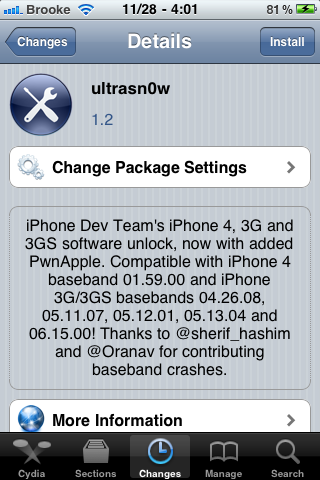
The Dev-Team has released the much anticipated update to the unltrasn0w unlock that unlocks iOS 4.2.1 on the iPhone 3G and 3GS. Below is what they have to say… make sure you read it thoroughly.
Today we’re pleased to announce our free carrier unlock for iPhone3G/3GS owners with a baseband later than 05.13.04. The unlock for that baseband exploited the AT+XAPP command, thanks to a crash initially discovered by @sherif_hashim (@Oranav also found this crash). So what hole are we exploiting today, since Apple closed that AT+XAPP hole? Well, we’re exploiting the exact same hole!
[Read more…]
ultrasn0w Unlock Fully Working on 4.2.1 – Q & A
November 27, 2010 by
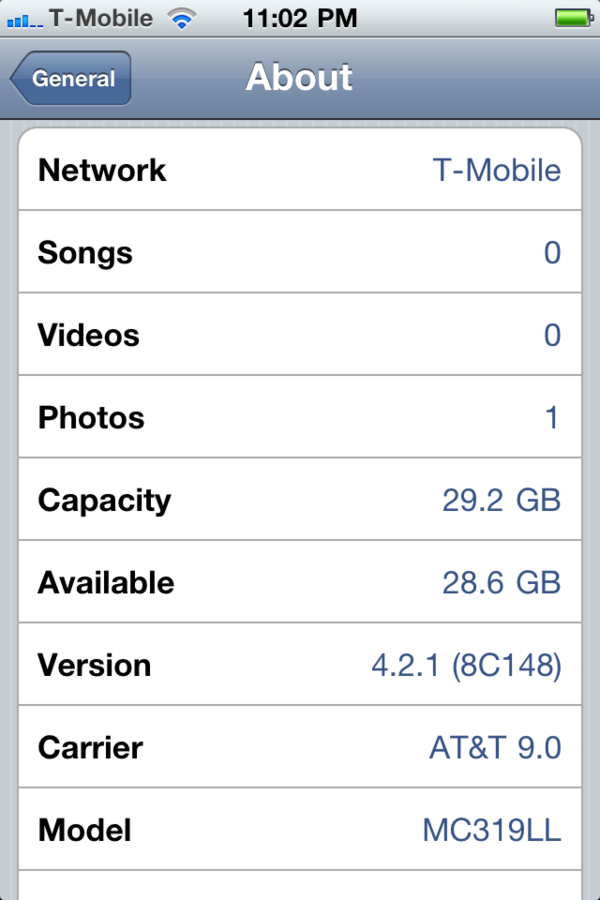
Earlier this morning, Musclenerd tweeted that ultrasn0w was finally fully working on iOS 4.2.1. He then answered a few questions about the unlock… below are a few of the details and some of the Q & A.
• The update will still not include the iPhone 4
• It will cover the 4.2.1, 3G/3GS iPhones, baseband (05.15.04)
• The best config for unlockers will be: old-bootrom 3GS, FW 4.2.1, untethered redsn0w JB, ultrasn0wed
[Read more…]
iOS 4.2.1 ultrasn0w Unlock Available by Sunday
November 25, 2010 by

MuscleNerd, a member of the Dev-Team, recently tweeted that they are making good progress on the update to the ultrasn0w unlock and that it is on track to be released by Sunday. However, he does say that the iPhone 4 unlock is going to take longer and will not be included in this update of ultrasn0w. He also mentions not to keep an eye out for it today because, “…we celebrate Thanksgiving with family too!” :) Happy Thanksgiving! We will keep our eye out for the ultrasn0w update.
[Read more…]
What a “Tethered” Jailbreak Means for iOS 4.2.1
November 24, 2010 by
As I mentioned yesterday, the current redsn0w jailbreak for iOS 4.2.1 is currently still a tethered jailbreak for some devices. The Dev-Team has updated their recent post on jailbreaking iOS 4.2.1 with a definition of what a tethered jailbreak means. A great idea! Since most people are a little confused about what exactly a tethered jailbreak is. Below is the definition via the Dev-Team.
[Read more…]
Dev-Team Says Upgrade to iTunes 10.1 for Best Jailbreaking Results
November 23, 2010 by
The Dev-Team has just updated their post about the new redsn0w jailbreak (which allows the ability to jailbreak iOS 4.2.1) saying that you should be on version 10.1 of iTunes to have the best jailbreaking results. They just added the disclaimer to the bottom of their current post.
Dev-Team Updates About iOS 4.2.1 – Including New Version of redsn0w Jailbreak
November 23, 2010 by
The Dev-Team has updated their blog with information about iOS 4.2.1. The first thing to note is that ultrasn0w unlockers should not upgrade to iOS 4.2.1 (read below for more info). The second bit of info is that they have updated redsn0w to version 0.9.6b4 which jaibreaks iOS 4.2.1 however, you will want to read all the info below because some devices are still a tethered jailbreak. redsn0w is available for both the Mac and PC (links below).
[Read more…]
What the Dev-Team Says You Need to Know Before the Release of iOS 4.2
November 10, 2010 by
The Dev-Team has put an update on their blog about what you need to know before the release of iOS 4.2. Below is what they have to say about both jailbreaking and unlocking.
Update #2: By all accounts, we’re within a few days of Apple’s official public release of Firmware 4.2. Here’s what you need to know:
• Thanks to geohot’s limera1n exploit, and our original pwnage2 exploit, and @pod2g’s ipod2g-MC exploit, absolutely all devices at all iOS firmware versions are capable of being jailbroken.
• The untethered jailbreak of those very latest FWs and latest devices depends on @comex hacks. His hacks so far extend only to 4.1 and 4.2beta3. He’s working on a way to extend it to 4.2 and beyond. Just wait for him to work out his method.
• iPhone 3G and 3GS unlockers will be covered by our upcoming unlock. Stay away from any updates to Apple FW until our official release and you’ll be okay. Just stay away from all Apple IPSWs :)
• iPhone4 unlockers are not left out in the cold. @sherif_hashim has found some very promising avenues to pursue. Those will be explored as soon as possible after all the 4.2 madness.What does this mean to you?
• If you’re an unlocker, just stay where you are. Please, just stay where you are. Any mistakes you make now may be permanent.
• If you only care about the jailbreak and you’re absolutely sure you have your personalized 4.1 SHSH hashes, feel free to experiment but keep in mind that any mistakes you make may result in your losing pictures or notes or bookmarks that you’d rather keep. Honestly unless you love living on the bleeding edge, it’s better to just wait for official updates from Cydia/redsn0w/PwnageTool.
• Don’t buy or donate to any unlock or jailbreak scammers. Every legitimate solution you will find for unlocks or jailbreaks will be offered without an extended hand. That’s how the iPhone jailbreak/unlock community has succeeded. It’s about freedom to do what you want with your $300 device — not about donations, egos, tweets, or “interviews.”
Check out the full article HERE.
Dev-Team Updates RedSn0w Jailbreak
November 1, 2010 by
 The Dev-Team has updated the redsn0w jailbreak (version 0.9.6b2) to incorporate geohot’s limera1n exploit. The jailbreak is available for both Windows and Mac. Below is info on what devices the jailbreak works on and the new features of redsn0w 0.9.6b2.
[Read more…]


 Loading ...