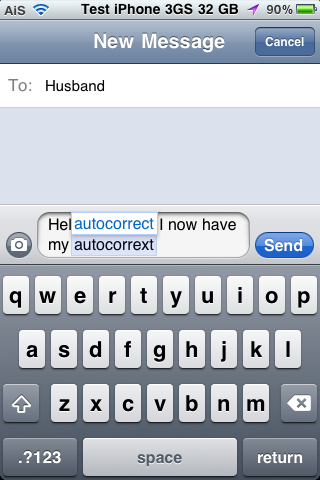
ManualCorrect is a hack that removes the stock auto-correct feature and replaces it with more user controlled auto-correct. Basically, the stock auto-correct automatically changes some of the words that you type (which can leave for some interesting emails and messages!) where ManualCorrect removes the stock auto-correct feature and puts in it’s place the option to choose a correction.
[Read more…]
ManualCorrect – User Controlled Auto-Correct
February 19, 2011 by
ShowCase – Uppercase and Lowercase Characters on Keyboard
February 17, 2011 by
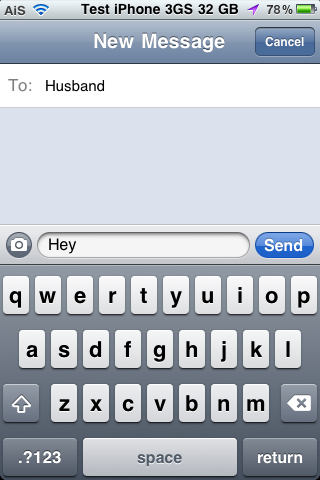
ShowCase is a nice little hack that changes the stock keyboard to display the current character case of the letters. Normally, the letters on the keyboard are always displayed as uppercase no matter if you have have the “Shift” key selected or not. With this hack, when the “Shift” key is selected, the characters on the keyboard will display as uppercase letters however if the “Shift” key is not selected, the characters on the keyboard will display as lowercase letters.
FakeCarrier – Create Custom Carrier Name and Time String
January 13, 2011 by
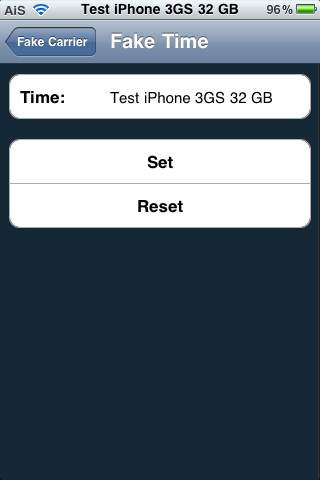
FakeCarrier is an application that allows you to easily customize both your carrier name and time string in the Status Bar. The app is super simple to use. Once installed, it has three options; Fake Carrier, Fake Time and Show BatteryLevel. To change the carrier or time string just open the option, type your custom message into the space provided and select Set. The string will instantly change without having to close the app or respring your device… this is a nice feature because then you can instantly see what your custom string looks like and if you do not like it, you can just change it right there. To get the stock Carrier name of Time string back, just tap Reset. Simple and easy.
[Read more…]
RoundCorners – Round the Corners of your iDevice’s Screen
January 13, 2011 by
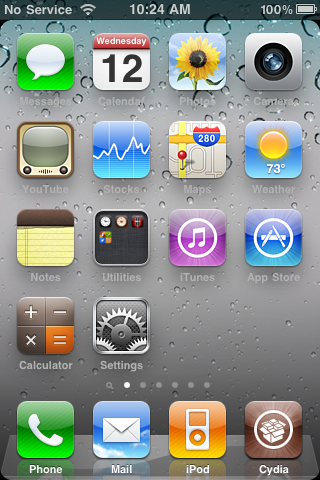
RoundCorners is a mod that rounds the corners of your iDevice’s screen. It basically creates a mask for your device that gives everything rounded edges. Because it is a mask, it rounds the corners of whatever is displayed on the screen. This includes everything; SpringBoard pages, Stock Applications, App Store Applications, Webpages… etc. The mod actually has a few settings. The settings are located in the stock Settings application. The settings include; the ability to turn the mod on/off, Premode (which allows you to round the entire page… including the statusbar… or just the page), the ability to change the radius of the rounded corned (making it more or less rounded), the ability to turn the mod off in GameMode… etc.
[Read more…]
8GB 4th Gen iPod touch $189.99 on Woot.com
January 13, 2011 by

Today’s Woot! is an $189.99 8GB iPod touch. It is the 4th generation iPod touch which includes; Facetime, Retina Display, HD Video Recording, 802.11n, Bluetooth… etc. They are refurbished but if you are looking to save $40 or so… you may want to check it out. (A new 4th gen 8GB iPod touch is $229.00 (+ tax) at Apple). These things usually go pretty quickly on Woot! so head over to woot.com if you are interested.
Below is what you will get:
[Read more…]
PageLock – Remove SpringBoard Page Scrolling Ability
January 12, 2011 by
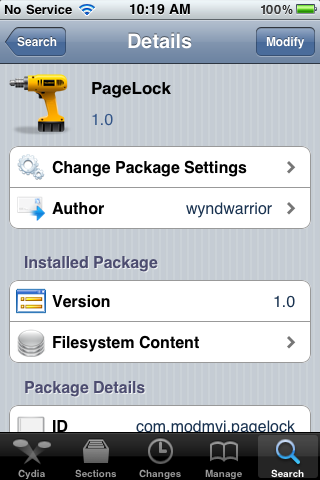
PageLock is a hack that removes the ability to scroll through the pages on your SpringBoard. I know what you thinking, “So how in the world am I going to get to my next page of apps?” I’ll be honest, I was thinking the same thing! So, I installed the hack and gave it a try. What I found is that it does indeed stop the ability to scroll between pages on your SpringBoard however, you are able to tap next to the page dots on the bottom of the SpringBoard to go to the next page. Tap to the left of the page dots to scroll left and tap to the right of the page dots to scroll right.
[Read more…]
Pull To Refresh Safari – Another Sweet Hack
January 11, 2011 by
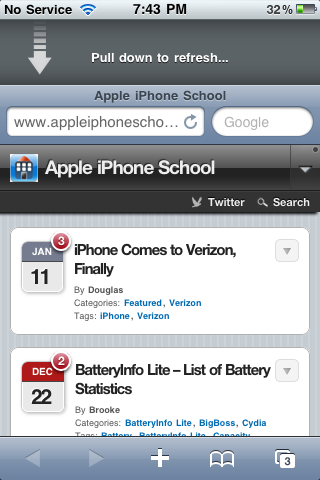
If you read my previous article about the Pull to Refresh For Mail hack… then you probably already know my feelings about Pull to Refresh Safari. I LOVE it! I don’t know if I’m a “pull to refresh” addict or what but I just love these hacks!
As the title suggests, this hack adds the ability to “pull to refresh” in the stock Safari application. To use the hack you just pull the Safari page down past the address bar and your page will automatically refresh.
[Read more…]
BatteryInfo Lite – List of Battery Statistics
December 22, 2010 by
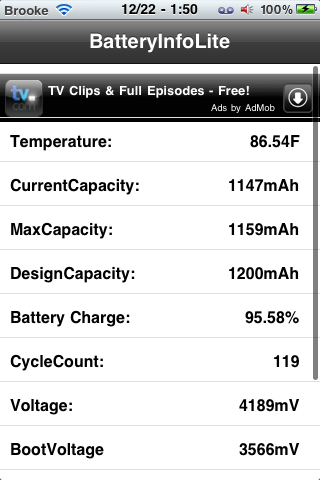
BatteryInfo Lite is an application that allows you to view stats about your device’s battery including; temperature, current capacity, max capacity, design capacity, charge percentage, cycle count, voltage, boot voltage, serial number and model. It’s a simple little app, nothing too fancy, just a list of the battery stats. But, if that is all you are looking for, you’re good to go with this one! You can get BatteryInfo Lite via the BigBoss source.
Note: This application claims to have a charge percentage accuracy of 0.07% that is compared to the UIDevice’s accuracy of 5%.
[Read more…]
InvertColors SBSettings – Toggle White on Black mode
December 22, 2010 by
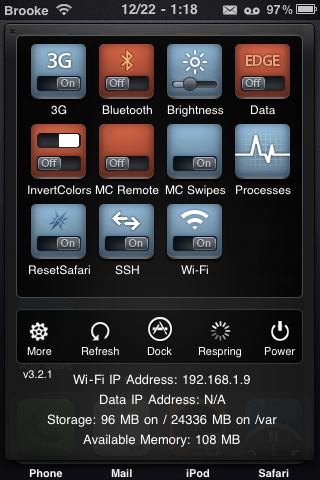
InvertColors SBSettings is an SBSettings toggle that allows you to quickly toggle the White on Black option from the stock Settings. The White on Black option basically inverts the colors on the device. If you’ve never seen it… it’s kind of trippy… you should check it out. One thing to note is that when you install this toggle, it is automatically added into the SBSettings drop-down. Usually when you install a toggle you have to go into the More/Set Toggle option in SBSettings and turn it on however, this one is turned on automatically when you install it. I didn’t have any issues with the toggle… it worked perfectly. InvertColors SBSettings is available via the BigBoss source.
[Read more…]
Update on an Untethered Jailbreak
December 22, 2010 by
It seems the Dev-Team is getting closer to having an untethered jailbreak. When the Dev-Team found the untethered jailbreak they dubbed it the “backup plan.” (It’s a “backup plan” because comex is working on a more extensible one, but this method is also generalizable.) Yesterday Musclenerd tweeted, “… the backup plan for those w/legit access to 4.2b3 IPSW is about ready…again though, better to wait for comex.” He also said that;
“Thanks to comex, redsn0w can now handle much bigger files than ramdisk 25MB limit. Useful for “backup plan” 4.2 untether”
“This latest @comex code also allows retrieval of photos+files stuck behind an unfixable filesystem problem…good stuff!”
[Read more…]
Snowman Theme – WinterBoard Theme
December 15, 2010 by
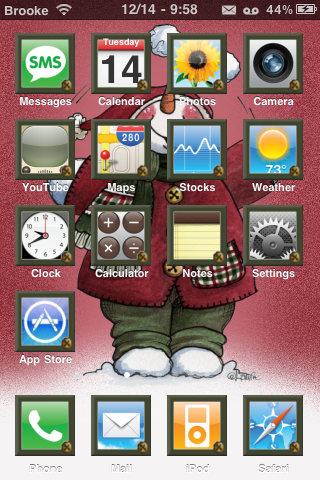
Snowman theme isn’t your typical Christmas theme… it’s more of a subtle Christmas feel. The theme contains around 35 custom icons however it has an icon mask which means it actually themes all icons (except Web Clips). It also contains a lock screen background, dock, wallpaper, sms background, Folders mod… etc. You can get Snowman Theme via the modmyi source. I’m still looking for the perfect Christmas theme. Let me know in the comments if you have a favorite.
[Read more…]
Light Bright – Easily Adjust Brightness Using Home and Volume Buttons
December 15, 2010 by
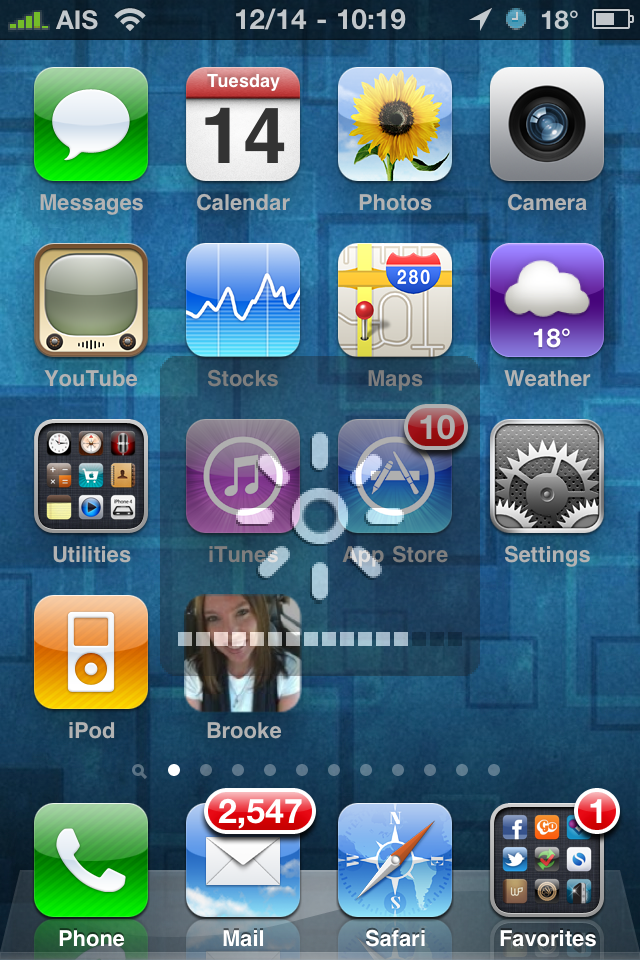
Light Bright is a sweet little hack that allows you to easily adjust your iPhone’s brightness. For some reason I’m like addicted to adjusting my brightness… I’m not even kidding. My previous favorite was the SBSettings brightness toggle however, I think it has been beat out by Light Bright! Light Bright is so convenient. Once installed, you just hold down the Home Button and use your volume controls to adjust the brightness. This can be done from basically anywhere…. while on the lock screen, the SpringBoard, in any application… etc. The only problem I have found is that if you have Backgrounder installed, you have to make sure not to hold the Home Button down too long before you start adjusting your brightness or you will enable backgrounding. Though, Light Bright can be used anytime where as SBSettings toggle does not work in Cydia or any application that does not display the status bar. I personally think it’s a totally sweet hack. You can get Light Bright via the modmyi source.
[Read more…]
Google Voice App Updated – Supports iPad and iPod touch
December 14, 2010 by

Today, the Google Voice application received an update. The update actually includes quite a few new features and bug fixes however, one of the cool new features is it has integrated support for both the iPad and the iPod touch.
[Read more…]
Backgrounder Update – Supports iOS 4.2.1
December 13, 2010 by
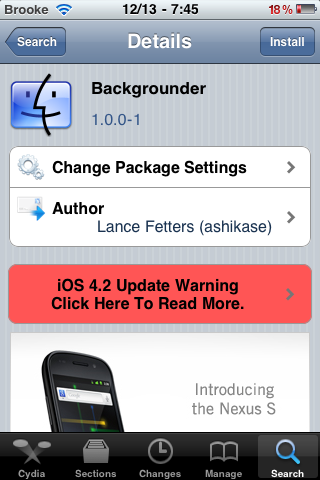
Backgrounder recently received the awaited update which allows the hack to work on iOS 4.2.1. The beta version had been available for a while but the official update was finally released. For those of you who are not familiar with Backgrounder, it is an hack that gives you “total control of backgrounding on an iPhone/iOS-based device. With Backgrounder, *you* decide when an app should keep running, and when it should quit.”
1.0.0-1 Changelog:
● Updated for iOS 4.2.1.
● Changed method used for preventing installation on unsupported iOS versions.
● Changed version numbering due to move from Google Code (svn) to GitHub (git).
[Read more…]


 Loading ...