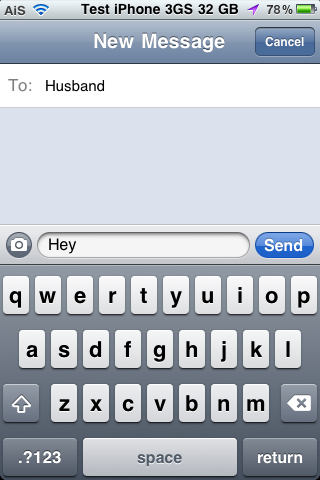
ShowCase is a nice little hack that changes the stock keyboard to display the current character case of the letters. Normally, the letters on the keyboard are always displayed as uppercase no matter if you have have the “Shift” key selected or not. With this hack, when the “Shift” key is selected, the characters on the keyboard will display as uppercase letters however if the “Shift” key is not selected, the characters on the keyboard will display as lowercase letters.
FakeCarrier – Create Custom Carrier Name and Time String
January 13, 2011 by
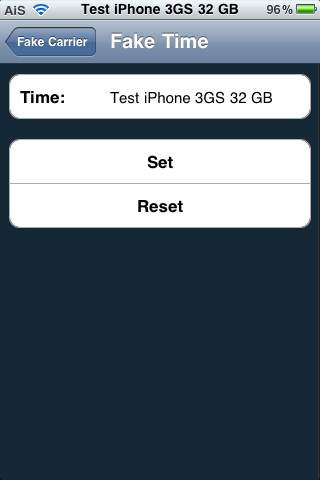
FakeCarrier is an application that allows you to easily customize both your carrier name and time string in the Status Bar. The app is super simple to use. Once installed, it has three options; Fake Carrier, Fake Time and Show BatteryLevel. To change the carrier or time string just open the option, type your custom message into the space provided and select Set. The string will instantly change without having to close the app or respring your device… this is a nice feature because then you can instantly see what your custom string looks like and if you do not like it, you can just change it right there. To get the stock Carrier name of Time string back, just tap Reset. Simple and easy.
[Read more…]
iCarbons – Carbon Fiber Skins
January 12, 2011 by

iCarbon skins are one of the best carbon fiber effect skins for iDevices around today! The skins come in white or black, with a carbon fiber look and feel. The skins are available for a variety of Apple devices and other devices too.
I was lucky enough to receive an iPad skin and a iPod Touch skin from iCarbons to review and I’ve got to say, I am very impressed! The skins are extremely easy to install and look amazing. They add minimal bulk to your device and are also scratch proof!
To install the skins all you need to do is peel the skin off of the backing sheet, align it with your device and then stick and push any bubbles out. I did have a little mishap when applying to my iPod Touch in which a corner wouldn’t stick down, but using a hair dryer on a low heat setting, I was able to heat the skin slightly and it then stick down with no problems.
[Read more…]
BatteryInfo Lite – List of Battery Statistics
December 22, 2010 by
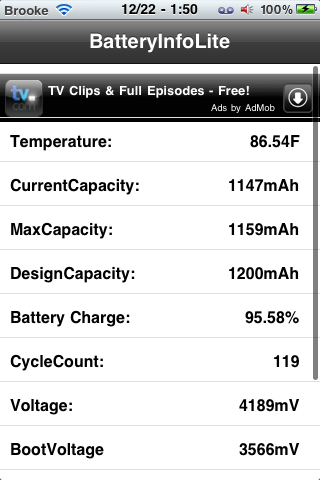
BatteryInfo Lite is an application that allows you to view stats about your device’s battery including; temperature, current capacity, max capacity, design capacity, charge percentage, cycle count, voltage, boot voltage, serial number and model. It’s a simple little app, nothing too fancy, just a list of the battery stats. But, if that is all you are looking for, you’re good to go with this one! You can get BatteryInfo Lite via the BigBoss source.
Note: This application claims to have a charge percentage accuracy of 0.07% that is compared to the UIDevice’s accuracy of 5%.
[Read more…]
InvertColors SBSettings – Toggle White on Black mode
December 22, 2010 by
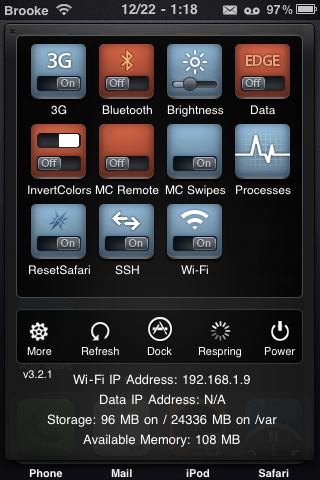
InvertColors SBSettings is an SBSettings toggle that allows you to quickly toggle the White on Black option from the stock Settings. The White on Black option basically inverts the colors on the device. If you’ve never seen it… it’s kind of trippy… you should check it out. One thing to note is that when you install this toggle, it is automatically added into the SBSettings drop-down. Usually when you install a toggle you have to go into the More/Set Toggle option in SBSettings and turn it on however, this one is turned on automatically when you install it. I didn’t have any issues with the toggle… it worked perfectly. InvertColors SBSettings is available via the BigBoss source.
[Read more…]
Snowman Theme – WinterBoard Theme
December 15, 2010 by
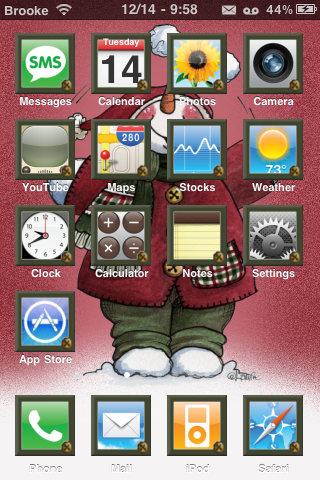
Snowman theme isn’t your typical Christmas theme… it’s more of a subtle Christmas feel. The theme contains around 35 custom icons however it has an icon mask which means it actually themes all icons (except Web Clips). It also contains a lock screen background, dock, wallpaper, sms background, Folders mod… etc. You can get Snowman Theme via the modmyi source. I’m still looking for the perfect Christmas theme. Let me know in the comments if you have a favorite.
[Read more…]
Google Voice App Updated – Supports iPad and iPod touch
December 14, 2010 by

Today, the Google Voice application received an update. The update actually includes quite a few new features and bug fixes however, one of the cool new features is it has integrated support for both the iPad and the iPod touch.
[Read more…]
A Christmas Theme – WinterBoard Theme
December 9, 2010 by
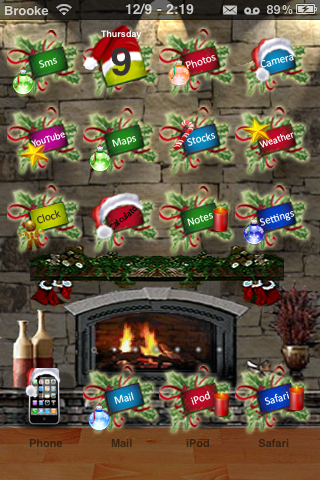
A Christmas Theme is a Christmas theme that is chalked full of mods. A few of them include; an animated falling snow lock screen, an animated fireplace wallpaper, a decent amount of icons, SMS mod, Phone mod, Safari mod, some UI mods, badges… etc. This theme is titled Christmas_Theme in WinterBoard. You will also want to select both the No Docked Icon Labels and No Undocked Icon Labels options in WinterBoard. You can get A Christmas Theme via the BigBoss source.
[Read more…]
ListLauncher – Alphabetical List of Apps in Spotlight Search Page
December 7, 2010 by
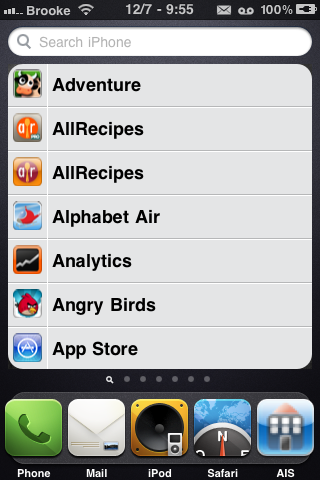
ListLauncher is an application that displays all installed apps (both jailbreak and App Store) in alphabetical order on the spotlight search page. This does not affect the actual spotlight search feature. Instead, when you scroll to get to the spotlight search page, it will display an alphabetical list of all your apps right away… before you use the spotlight search. You can then quickly scroll through the list to find the app you are looking for and just like with the spotlight search feature, you can tap the app in the list to open that specific application. You can still use the spotlight search feature like normal and it’s results are still in order of contacts, applications, email, sms, web… and are not changed to alphabetical order. So basically this just adds a feature and does not affect the stock spotlight search feature at all.
[Read more…]
CustomBadges – Create Custom Badges
December 7, 2010 by
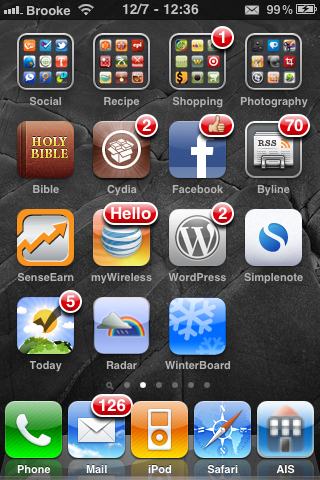
CustomBadges is an application that allows you to create custom badges… go figure! :) A custom badge can be added to any icon on your SpringBoard and can include; text, numbers, emojis, symbols… basically anything on your keyboard. It seems like it fits best to have a custom badge that is five characters or less. Once you have more than five characters it does not display correctly.
[Read more…]
Just Mobile Xtand – The iPhone Stand of Stands
December 6, 2010 by
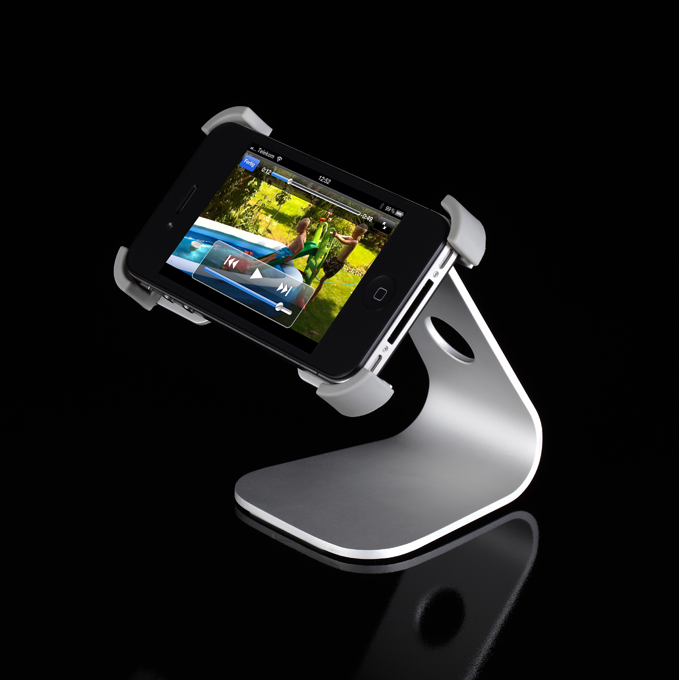
Ok, here is the deal, I was making dinner the other day (or maybe it was breakfast… I can’t remember) anyway… like most of my cooking escapades, I was using my iPhone for the recipe. And, as usual, Doug came in the kitchen halfway through my escapade only to find that my iPhone was dusted with flour, maybe had a sprinkle of seasoning on it and possible been garnished with a few droplets of water (though to my defense… he does always seem to come into the kitchen right in the middle of things when it is the craziest)! And, like usual, he looked at me in horror. “Opps… my bad!” [Read more…]
Analock HD – Customizable Lockscreen Mod
December 6, 2010 by
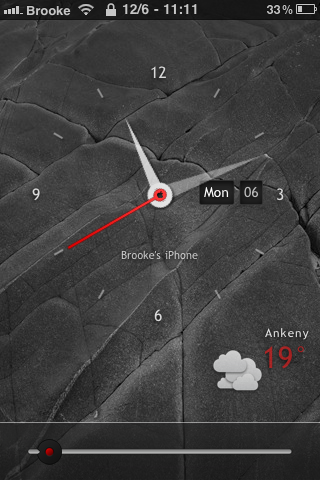
Analock HD is a simple, clean lock screen mod. The lock screen displays the current time, date, day of the week, temperature and weather conditions. And, like Sublime Lock HD, what I love most about this lock screen mod is how easy it is to customize… no coding involved!! I have actually been using this lock screen for a while now and I decided it was time to pass it along! Below are the step-by-step instructions on how to install, activate and customize the Analock HD lock screen mod.
[Read more…]
MultiIconMover Updated – Now Compatible with iOS 4.2.1
December 3, 2010 by
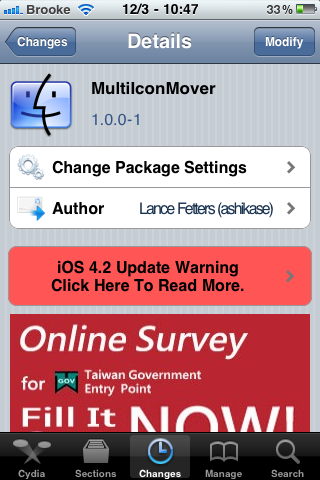
MultiIconMover, a hack that allows you to move more than one icon at a time, has been updated in cydia to 1.0.0-1. The major part of the update is that the app is now compatible with iOS 4.2.1 (full changelog below). I actually find this app quite useful, though I would love to see the ability to move multiple apps into folders! Maybe the next update! For a full description of the MultiIconMover app… check out our previous post. You can get MultiIconMover in the BigBoss source.
[Read more…]
AiS – Check Out the New Forum
December 1, 2010 by
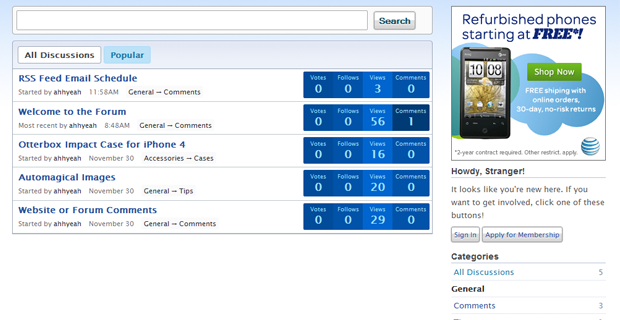
A few days ago when we rolled out the newly designed AiS website, we also updated our forum. In doing so we lost all our previous forum info :( but, now we have a cool new forum! Anyway, MattyB was kind enough to inform us that the registration was not working for our new forum… which is obviously a problem!! Doug has fixed the issue and the registration is now working! We apologize if you already tried to register and were not able to. Now that everything is in working order… feel free to check out the new forum, register and start discussing! I’m headed over there right now to sign-up… no one steal my screen name before I get there!
[Read more…]
Christmas Theme by Chode4eve – WinterBoard Theme
November 30, 2010 by
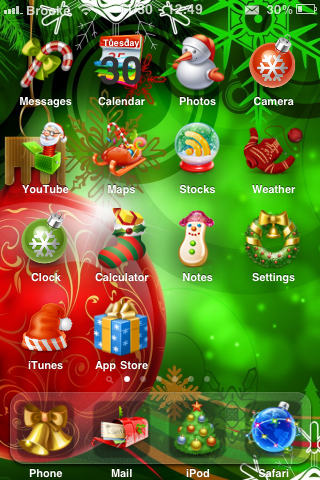
Ok, now I know this is going to be too early for some of you but it is past Thanksgiving and I did make myself hold off until after Thanksgiving before starting the Christmas theme reviews. So here we go… the first one! Christmas Theme by Chode4eve is a WinterBoard theme that contains around 25 icons (just the basic apps), a lock screen background, a Messages Background, a Phone keypad background, some system string mods, badges and some UI sounds. I’m not going to lie… Christmas themes can tend to be a little cheesy but this one has well designed icons and the backgrounds are good quality. I’m not a huge fan of the UI sounds but, I just go into iFile and rename the UISounds folder to something like UISounds(nope) and then I no longer have the theme’s built-in sounds. Other than that… a decent Christmas theme… it just makes me all cheery! You can get Christmas Theme by Chode4eve via the BigBoss source. Check out the screenshots below.
[Read more…]


 Loading ...